• Fri frakt över 249 kr
  • •
  • Snabba leveranser
  • •
  • Billiga böcker
Kundservice

Du är på sajten för privatpersoner.

Företag, bibliotek eller offentlig verksamhet?

Du handlar på classic.bokus.com, där alla dina funktioner finns intakta.
Till classic.bokus.com
Bokus logotyp. Gå till startsidan.
  • Erbjudanden
  • Nyheter
  • Student
  • Topplistor
  • Barn & ungdom
  • Bokus Play
  • E-böcker
  • Pocketböcker
  • Spel & pussel

10% rabatt på allt med kod: NYSTART10 →

Sidfot

Mina sidor

    Hjälp

    • Kundservice
    • Vanliga frågor och svar
    • Frakt och leverans
    • Retur vid ångerrätt
    • Reklamera vara
    • Betalning
    • Köpvillkor
    • Allmänna villkor
    • Information om webbplatsens tillgänglighet

    Om Bokus

    • Om oss
    • Pressrum
    • För studenter
    • För företag
    • För bibliotek och offentlig verksamhet
    • För leverantörer
    • Hållbarhet

    Populärt

    • Aktuella erbjudanden
    • Presentkort
    • Studentlitteratur
    • Nya böcker
    • Topplistor
    • Signerade böcker
    • Engelska böcker

    Inspiration

    • Boktips
    • BookTok
    • Populära bokserier
    • Barnbokskaraktärer
    • Populära författare
    Logotyp för Bokus
    Följ oss på Facebook (extern länk)Följ oss på Instagram (extern länk)Följ oss på YouTube (extern länk)Följ oss på TikTok (extern länk)
    bokus @ CookiesAnpassa cookiesIntegritetspolicyKöpvillkor
    Till Citymail hemsida (extern länk)Till Budbee hemsida (extern länk)Till Postnord hemsida (extern länk)Till Schenker hemsida (extern länk)Till Early Bird hemsida (extern länk)Till Walleys hemsida (extern länk)
    1. Data och IT
    2. Grafik och bildbehandling

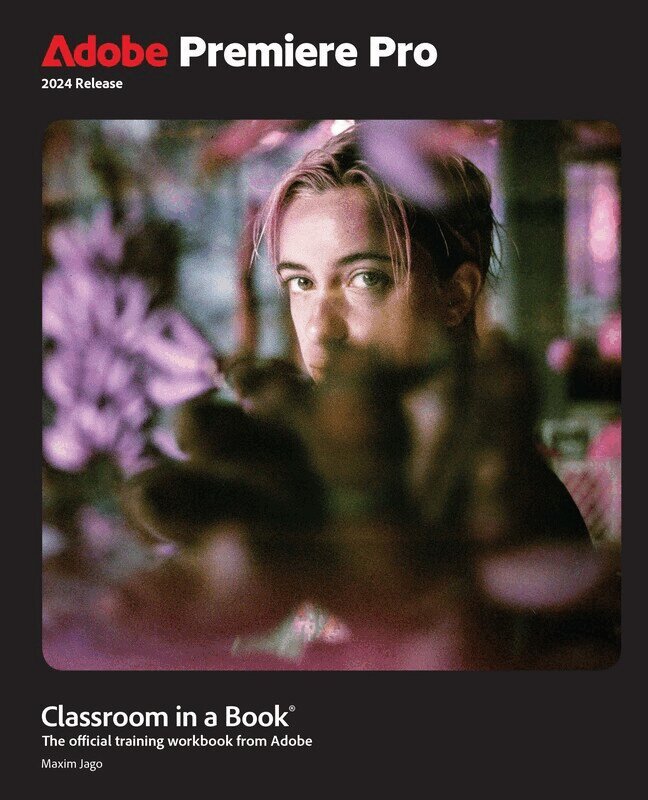
    Adobe Premiere Pro Classroom in a Book 2024 Release

    AvMaxim Jago

    Häftad, Engelska, 2024

    Del i serien Classroom in a Book

    519 kr

    Beställningsvara. Skickas inom 7-10 vardagar. Fri frakt över 249 kr.

    Beskrivning

    The fastest, easiest, most comprehensive way to learn Adobe Premiere Pro

    Adobe Premiere Pro Classroom in a Book 2024 release contains 17 lessons that use real-world, project-based learning to cover the basics and beyond, providing countless tips and techniques to help you become more productive with the program. You can follow the book from start to finish or choose only those lessons that interest you. Learn to:

    • Edit video in Adobe Premiere Pro
    • Use automation and AI-based features to speed up the completion of professional creative projects
    • Organize media, combine elements as a continuous sequence, edit video using text-based editing tools, add music and background audio, apply transition effects, create titles, add video and audio effects, and add filmic looks
    • Take your projects further by sweetening and mixing sound, retiming music, compositing footage, automatically reframing visuals, adjusting color, using advanced editing techniques, managing projects, exporting, and much more

    Classroom in a Book®, the best-selling series of hands-on software training workbooks, offers what no other book or training program does—an official training series from Adobe, developed with the support of Adobe product experts.

    Purchasing this book includes valuable online extras. Follow the instructions in the book's "Getting Started" section to unlock access to:

    • Downloadable lesson files you need to work through the projects in the book
    • Web Edition containing the complete text of the book, interactive quizzes, and videos that walk you through the lessons step by step

    What you need to use this book: Adobe Premiere Pro 2024 Release software, for either Windows or macOS. (Software not included.)

    Produktinformation

    • Utgivningsdatum:2024-09-04
    • Mått:188 x 233 x 26 mm
    • Vikt:982 g
    • Format:Häftad
    • Språk:Engelska
    • Serie:Classroom in a Book
    • Antal sidor:512
    • Upplaga:1
    • Förlag:Pearson Education
    • ISBN:9780138318567

    Utforska kategorier

    • Grafik och bildbehandling inom Data och IT

    Mer om författaren

    Maxim Jago is an Adobe Master Trainer, award-winning writer-director, consultant Futurist, and the author of several previous editions of this book and several editions of Adobe Premiere Pro Learn by Video. He speaks at film festivals and media technology events around the world, and has trained all types of editors from schoolchildren to university professors, from ABC's top editors in Australia to the BBC's tech gurus in the UK. Visit his website at http://maximjago.com.

    Innehållsförteckning

    • GETTING STARTEDLESSON 1 TOURING ADOBE PREMIERE PROLESSON 2 SETTING UP A PROJECTLESSON 3 IMPORTING MEDIALESSON 4 ORGANIZING MEDIALESSON 5 EDITING VIDEO—THE ESSENTIALSLESSON 6 WORKING WITH CLIPS AND MARKERSLESSON 7 ADDING TRANSITIONSLESSON 8 EDITING VIDEO—ADVANCED TECHNIQUESLESSON 9 PUTTING CLIPS IN MOTIONLESSON 10 EDITING AND MIXING AUDIOLESSON 11 IMPROVING AUDIOLESSON 12 ADDING VIDEO EFFECTSLESSON 13 APPLYING COLOR CORRECTION AND GRADINGLESSON 14 EXPLORING COMPOSITING TECHNIQUESLESSON 15 CREATING NEW GRAPHICSLESSON 16 EXPORTING FRAMES, CLIPS, AND SEQUENCES  GLOSSARY onlineLESSON 17 MANAGING YOUR PROJECTS online