• Fri frakt över 249 kr
  • •
  • Snabba leveranser
  • •
  • Billiga böcker
Kundservice

Du är på sajten för privatpersoner.

Företag, bibliotek eller offentlig verksamhet?

Du handlar på classic.bokus.com, där alla dina funktioner finns intakta.
Till classic.bokus.com
Bokus logotyp. Gå till startsidan.
  • Erbjudanden
  • Nyheter
  • Student
  • Topplistor
  • Barn & ungdom
  • Bokus Play
  • E-böcker
  • Pocketböcker
  • Spel & pussel

10% rabatt på allt med kod NYSTART10 →

Sidfot

Mina sidor

    Hjälp

    • Kundservice
    • Vanliga frågor och svar
    • Frakt och leverans
    • Retur vid ångerrätt
    • Reklamera vara
    • Betalning
    • Köpvillkor
    • Allmänna villkor
    • Information om webbplatsens tillgänglighet

    Om Bokus

    • Om oss
    • Pressrum
    • För studenter
    • För företag
    • För bibliotek och offentlig verksamhet
    • För leverantörer
    • Hållbarhet

    Populärt

    • Aktuella erbjudanden
    • Presentkort
    • Studentlitteratur
    • Nya böcker
    • Topplistor
    • Signerade böcker
    • Engelska böcker

    Inspiration

    • Boktips
    • BookTok
    • Populära bokserier
    • Barnbokskaraktärer
    • Populära författare
    Logotyp för Bokus
    Följ oss på Facebook (extern länk)Följ oss på Instagram (extern länk)Följ oss på YouTube (extern länk)Följ oss på TikTok (extern länk)
    bokus @ CookiesAnpassa cookiesIntegritetspolicyKöpvillkor
    Till Citymail hemsida (extern länk)Till Budbee hemsida (extern länk)Till Postnord hemsida (extern länk)Till Schenker hemsida (extern länk)Till Early Bird hemsida (extern länk)Till Walleys hemsida (extern länk)
    1. Data och IT
    2. Programmeringsböcker
    3. Programspråk

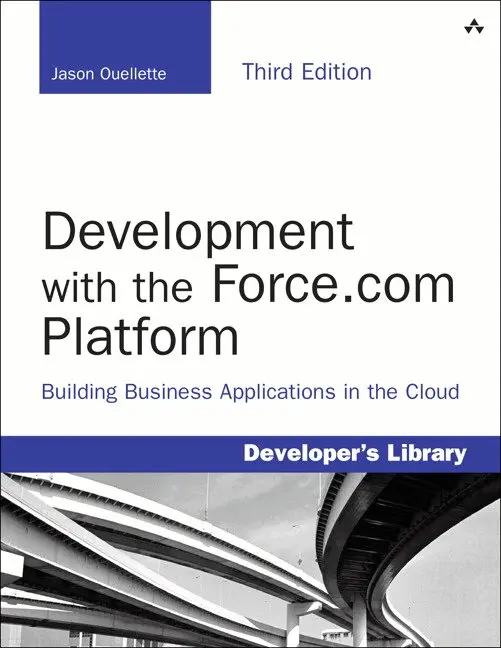
    Development with the Force.com Platform

    Building Business Applications in the Cloud

    AvJason Ouellette

    Häftad, Engelska, 2013

    Del i serien Developer's Library

    345 kr

    Tillfälligt slut

    Beskrivning

    Master Force.com, Today’s Fastest, Most Flexible Cloud Development Platform

    With Salesforce.com’s Force.com platform, you can build and deploy powerful cloud-based enterprise applications faster than ever before. Now, Jason Ouellette gives you all the practical, technical guidance you need to make the most of the newest Force.com releases in your own custom cloud applications.

    Throughout, he adds new code and updated best practices for rapidly prototyping, building, and testing production-quality Force.com solutions. This edition’s extensive new coverage includes Developer Console, JSON, Streaming and Tooling APIs, Bulk API, Force.com Canvas, REST integration, support for Web MVC frameworks, Dynamic Apex and Visualforce, and an all-new chapter on mobile user interfaces.

    Ouellette covers the entire platform: UIs, database design, analytics, security, and many other topics. His code examples emphasize maintainability, flexibility, and seamless integration—and you can run and adapt all of them with a free Force.com Developer Edition account. Coverage includes:

    • Leveraging Force.com’s customizable infrastructure to deliver advanced Platform-as-a-Service (PaaS) solutions
    • Understanding Force.com’s unique processes, tools, and architecture
    • Developing a complete application, from requirements and use cases through deployment
    • Using the Force.com database as a framework for highly flexible, maintainable applications
    • Applying Force.com’s baked-in security, including user identity, data ownership, and fine-grained access control
    • Constructing powerful business logic with Apex, SOQL, and SOSL
    • Adopting asynchronous actions, Single Page Applications, and other advanced features in Web user interfaces
    • Building intuitive user interfaces with Visualforce, and extending them to public-facing websites and mobile devices
    • Creating smartphone/tablet-friendly apps with HTML5 and Visualforce
    • Performing massive data-intensive tasks offline with Batch Apex
    • Using Force.com integration options, including REST, SOAP, Canvas, and the Streaming, Bulk, Tooling, and Metadata APIs
    • Developing internal social applications with Force.com’s Chatter collaboration tools

    If you’re already building Web or mobile applications, take your next giant step into enterprise cloud development—with Development with the Force.com Platform, Third Edition.

    All code examples in this book are available on Github at http://goo.gl/fjRqMX, and as a Force.com IDE project on Github at https://github.com/jmouel/dev-with-force-3e.

    Produktinformation

    • Utgivningsdatum:2013-12-19
    • Mått:178 x 229 x 23 mm
    • Vikt:690 g
    • Format:Häftad
    • Språk:Engelska
    • Serie:Developer's Library
    • Antal sidor:448
    • Upplaga:3
    • Förlag:Pearson Education
    • ISBN:9780321949165

    Utforska kategorier

    • Programspråk inom Data och IT
    • Nätverk och kommunikation inom Data och IT

    Mer om författaren

    Jason Ouellette is a SaaS entrepreneur and independent technology consultant with 17 years of experience in the enterprise software industry, including 9 years of hands-on work with Salesforce.com. He is currently CTO and Co-Founder of SocialPandas, a SaaS product company focused on converting social data into actionable intelligence for salespeople. In his prior role as Chief Architect of Appirio, a leading Salesforce.com consultancy, he led the development of popular Salesforce AppExchange applications such as Cloud Sync, Cloud Factor, and Professional Services Enterprise. He was recognized by Salesforce as a Force.com MVP in 2011–2013, and Force.com Developer Hero in 2009. He has a B.S. in Information and Decision Systems from Carnegie Mellon University.

    Innehållsförteckning

    • 1 Introducing Force.com 1Force.com in the Cloud Computing Landscape 1Platform as a Service (PaaS) 2Force.com as a Platform 4Force.com Services 7Inside a Force.com Project 9Project Selection 9Team Selection 11Lifecycle 12Tools and Resources 15Sample Application: Services Manager 17Background 17User Roles 18Development Plan 19Summary 192 Database Essentials 21Overview of Force.com’s Database 21Objects 22Fields 23Relationships 25Query Language 26Data Integration 29Working with Custom Objects 32Force.com Developer Edition 32Tools for Custom Objects 33Object Creation 35Field Creation 38Entering and Browsing Data 41Additional Database Features 43Sample Application: Data Model 49Data Model Design Goals 49Data Model Specification 50Implementing the Data Model 58Importing Data 64Summary 693 Database Security 71Overview of Database Security 71Object-Level Security 74Profiles 74Permission Sets 76Field-Level Security 77Record-Level Security 79Record Ownership 79User Groups 80Sharing Model 80Sample Application: Securing Data 84Designing the Security Model 85Implementing the Security Model 88Testing the Security Model 94Summary 984 Business Logic 99Introduction to Apex 100Introducing the Force.com IDE 101Installation 101Force.com Perspective 101Force.com Projects 103Problems View 103Schema Explorer 103Apex Test Runner View 103Execute Anonymous View 104Apex Language Basics 105Variables 105Operators 109Arrays and Collections 110Control Logic 113Object-Oriented Apex 117Understanding Governor Limits 120Database Integration in Apex 120Database Records as Objects 121Database Queries 122Persisting Database Records 128Database Triggers 130Database Security in Apex 133Debugging Apex Using Developer Console 133Checkpoints 133Execution Logs 134Unit Tests in Apex 136Test Methods 136Test Data 136Running Tests 137Sample Application: Validating Timecards 138Force.com IDE Setup 138Creating the Trigger 138Unit Testing 140Summary 1425 Advanced Business Logic 143Aggregate SOQL Queries 144Aggregate Functions 144Grouping Records 145Grouping Records with Subtotals 146Additional SOQL Features 148Inner Join and Outer Join 148Semi-Join and Anti-Join 150Multi-Select Picklists 154Salesforce Object Search Language (SOSL) 154SOSL Basics 155SOSL in Apex 155Transaction Processing 156Data Manipulation Language (DML) DatabaseMethods 157Savepoints 159Record Locking 161Apex Managed Sharing 162Sharing Objects 162Creating Sharing Rules in Apex 163Sending and Receiving Email 168Sending Email 168Receiving Email 172Dynamic Apex 174Dynamic Database Queries 175Schema Metadata 177Dynamic Instance Creation 179Custom Settings in Apex 180Sample Application: Adding Email Notifications 181Summary 1836 User Interfaces 185Introduction to Visualforce 186Overview of Visualforce 186Getting Started with Visualforce 188Visualforce Controllers 191Standard Controllers 191Custom Controllers 193Controller Extensions 197View Components 198View Component Basics 198Data Components 200Action Components 203Primitive Components 204Force.com-Styled Components 205Force.com User Interface Components 208Visualforce and the Native User Interface 209Standard Pages 210Standard Buttons 213Page Layouts 213Custom Buttons and Links 215Custom Tabs 215Visualforce in Production 215Debugging and Tuning 215Security 218Error Handling 220Governor Limits 221Unit Tests 222Sample Application: Skills Matrix 222Basic Implementation 224Full Implementation 224Implementation Walk-Through 225Summary 2327 Advanced User Interfaces 233Asynchronous Actions 233Partial Page Refresh 234Action as JavaScript Function 235Action as Timed Event 237Action as JavaScript Event 237Indicating Action Status 238Modular Visualforce 240Static Resources 241Inclusion 242Composition 242Custom Visualforce Components 244Dynamic Visualforce 246Dynamic Field References 246Component Generation 248Single-Page Applications in Force.com 250JavaScript Remoting 250Force.com with AngularJS 251Introduction to Force.com Sites 254Enabling and Creating a Site 254Security Configuration 255Adding Pages to a Site 256Authenticating Users 257Sample Application: Enhanced Skills Matrix 258Summary 2628 Mobile User Interfaces 263Overview of Salesforce Mobile Technology 263Salesforce Applications 264Custom Applications 265Getting Started with Mobile Web Applications 267Frameworks 268Data Access 269Deployment 270Sample Application: Mobile Timecard Entry 272Summary 2799 Batch Processing 281Introduction to Batch Apex 282Batch Apex Concepts 282Understanding the Batchable Interface 283Applications of Batch Apex 284Getting Started with Batch Apex 285Developing a Batch Apex Class 285Working with Batch Apex Jobs 286Using Stateful Batch Apex 289Using an Iterable Batch Scope 290Limits of Batch Apex 292Testing Batch Apex 293Scheduling Batch Apex 293Developing Schedulable Code 293Scheduling Batch Apex Jobs 294Sample Application: Missing Timecard Report 296Creating the Custom Object 297Developing the Batch Apex Class 298Testing the Missing Timecard Feature 299Summary 30010 Integration with Force.com 301Apex Callouts 301Calling RESTful Services from Apex 302Calling SOAP Services from Apex 304Calling into Force.com Using REST 306Getting Started with Force.com REST API 306Force.com REST API Walk-Through 308Creating Custom Apex REST Web Services 312Calling into Force.com Using SOAP 314Understanding Force.com SOAP API 314Using the Enterprise API 322Creating Custom Apex SOAP Web Services 326Sample Application: Anonymous Benchmarking 329Visualforce Page Design 330Visualforce Controller Design 331Integrating the SOAP Web Service 333Sample Implementation 335Summary 33811 Advanced Integration 339Introduction to the Force.com Streaming API 340Overview 340Getting Started with Force.com Streaming API 341Working with the Force.com Bulk API 344Overview 345Importing Records 346Exporting Records 347Getting Started with Force.com Canvas 349Overview 349Getting Started with Force.com Canvas 350Introduction to the Force.com Tooling API 354Overview 355Getting Started with Force.com Tooling API 355Understanding the Force.com Metadata API 360Overview 360Getting Started with the Metadata API 361Sample Application: Database Integration 363Integration Scenario 363Implementation Strategy 363Sample Implementation 364Summary 36612 Social Applications 369Overview of the Chatter Data Model 370Chatter Posts 370Chatter Comments 374Feed-Tracked Changes 376Followed Records 376Using Chatter in Apex 378Introduction to the Chatter REST API 379Working with Chatter Visualforce Components 380Sample Application: Follow Project Team 382Summary 386Index 387