• Fri frakt över 249 kr
  • •
  • Snabba leveranser
  • •
  • Billiga böcker
Kundservice

Du är på sajten för privatpersoner.

Företag, bibliotek eller offentlig verksamhet?

Du handlar på classic.bokus.com, där alla dina funktioner finns intakta.
Till classic.bokus.com
Bokus logotyp. Gå till startsidan.
  • Erbjudanden
  • Student
  • Topplistor
  • Barn & ungdom
  • Bokus Play
  • E-böcker
  • Ljudböcker
  • Pocketböcker
  • Spel & pussel

10% rabatt på allt med kod NYSTART10 →

Sidfot

Mina sidor

    Hjälp

    • Kundservice
    • Vanliga frågor och svar
    • Frakt och leverans
    • Retur vid ångerrätt
    • Reklamera vara
    • Betalning
    • Köpvillkor
    • Allmänna villkor
    • Information om webbplatsens tillgänglighet

    Om Bokus

    • Om oss
    • Pressrum
    • För studenter
    • För företag
    • För bibliotek och offentlig verksamhet
    • För leverantörer
    • Hållbarhet

    Populärt

    • Aktuella erbjudanden
    • Presentkort
    • Studentlitteratur
    • Nya böcker
    • Topplistor
    • Signerade böcker
    • Engelska böcker

    Inspiration

    • Boktips
    • BookTok
    • Populära bokserier
    • Barnbokskaraktärer
    • Populära författare
    Logotyp för Bokus
    Följ oss på Facebook (extern länk)Följ oss på Instagram (extern länk)Följ oss på YouTube (extern länk)Följ oss på TikTok (extern länk)
    bokus @ CookiesAnpassa cookiesIntegritetspolicyKöpvillkor
    Till Citymail hemsida (extern länk)Till Budbee hemsida (extern länk)Till Postnord hemsida (extern länk)Till Schenker hemsida (extern länk)Till Early Bird hemsida (extern länk)Till Walleys hemsida (extern länk)
    1. Data och IT
    2. Programmeringsböcker

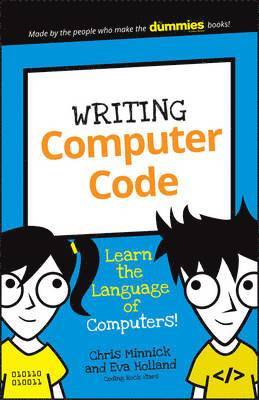
    Writing Computer Code

    Learn the Language of Computers!

    AvChris Minnick,Eva Holland

    Häftad, Engelska, 2016

    Del i serien Dummies Junior

    80 kr

    Beställningsvara. Skickas inom 5-8 vardagar. Fri frakt över 249 kr.

    Beskrivning

    A technology book for kids!Learning how to code can be like learning a foreign language.This book serves as an excellent guide to help you start writing in the odd-looking languages that make the web work. Follow simple steps as you work with real code to build your own web robots. Create your robot—write code that builds your robot's body and structureGive your bot some style—add code lines that customize your robot's color and shapeGet your robot moving—finish off your robot with code that teaches it how to danceTechnology Requirements:Hardware – PC or tablet with Internet connection running Windows 7 or higher or Mac with Internet connection running Mac OS X 10.7 or higherSoftware – Web browser to access JSFiddle.net: Google Chrome™, Mozilla Firefox, Apple Safari, Microsoft Edge, or Microsoft Internet Explorer version 9.0 or higher

    Produktinformation

    • Utgivningsdatum:2016-01-10
    • Mått:140 x 216 x 7 mm
    • Vikt:211 g
    • Format:Häftad
    • Språk:Engelska
    • Serie:Dummies Junior
    • Antal sidor:128
    • Förlag:John Wiley & Sons Inc
    • ISBN:9781119177302

    Utforska kategorier

    • Programmeringsböcker inom Data och IT

    Mer om författaren

    Chris Minnick and Eva Holland are experienced web developers, tech trainers, and coauthors of JavaScript For Kids For Dummies. Together they founded WatzThis?, a company focused on training and course development.

    Innehållsförteckning

    • Introduction 1About This Book 1About You 2About The Icons 3The First Step 4Project 1: Becoming a Programmer 5What Is Programming? 5How can you talk to computers? 10What languages will you learn? 14Gathering Your Tools 18Getting your browser ready 18Working with JSFiddle 19Sharing Your Fiddle 27Summary 28Project 2: Gathering the Parts to Build Your Robot 2 9Saying What You Mean 30Making a statement 31Following the rules 33Giving and Receiving Data 34Knowing Your Operands and@Operators 39Introducing the Super-Calculator 40Forking the Super-Calculator 41Using the Super-Calculator 42Super-calculating with text 44Summary 47Project 3: Building Your Robot’s Body 48Writing HTML 48Seeing what text looks like without HTML 49Using HTML: It's all about the tags 50Nesting HTML tags 52Writing your first HTML document 54Knowing your HTML elements 56Introducing Douglas the Robot 58Changing HTML Using JavaScript 4Summary 66Project 4: Giving Your Robot Style 67Giving Douglas Style 68Getting the Basics of CSS 69CSS selectors 70CSS declarations 74CSS properties 76Colorizing Douglas 78Using CSS colors 78Changing colors 81Customizing Your Own Robot 84Summary 85Project 5: Animating Your Robot 87Changing CSS with JavaScript 87Modifying Douglas with JavaScript 89Experimenting with Douglas 92Making Douglas Dance 94Creating Animations with JavaScript 97Animating another element 100Using a second animation function 100Summary 104Project 6: Creating a JavaScript Word Game 105Creating a Variable Story 105Creating the Word Replacement Game 106Writing the HTML 108Styling the Word Game 111Writing the JavaScript Code 114Finishing the Program 117