E-bok, Engelska, 2021
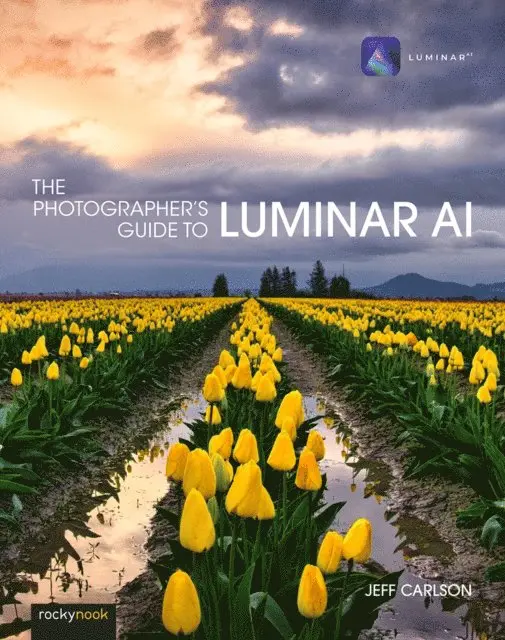
Photographer's Guide to Luminar AI
Av Jeff Carlson
413 kr
Läs direkt i Bokus Reader – eller ladda ned till din enhet (PDF kräver ofta zoom och scroll på små skärmar).
Beskrivning
Skylum’s Luminar AI is a great solution for both professional and amateur photographers who want to quickly create stunning photos. Luminar’s advanced AI-based tools and templates eliminate hours of traditional editing tasks, whether you’re applying automatic tone and color adjustments, replacing dreary skies with more dynamic ones, or retouching portraits to smooth skin, remove blemishes, and accentuate flattering facial features. For those who want to dig into editing, powerful tools give you full control over your RAW and JPEG images, including advanced features such as masking, dodging and burning, and cloning and stamping areas. Luminar AI also works as a plug-in for other applications, such as Adobe Photoshop, Lightroom Classic, and Apple Photos, allowing round-trip editing and seamless integration with workflows you may already have in place.Luminar AI is deceptively deep, and in The Photographer’s Guide to Luminar AI, photographer Jeff Carlson helps you discover Luminar AI’s best features to take full advantage of the program for all your photography needs. From importing your images to editing, managing, and exporting your files, Jeff showcases the power, precision, and control of Luminar while teaching you to work quickly and efficiently. In this book, he walks you through real-world landscape and portrait edits, and covers every tool and feature with the goal of helping you understand how to make Luminar improve your images. In this book you’ll learn all about:
- • AI editing: Luminar AI’s many AI-based tools eliminate hours of traditional editing tasks. Improve overall tone and color using just one slider, and enhance a sky using another without building masks or layers. Realistically replace the entire sky in one step, even when objects like buildings or trees intrude. Luminar identifies people in photos, allowing you to smooth skin, sharpen eyes, brighten faces, and perform other portrait retouching tasks in minutes.
- • AI Templates Luminar recommends templates based on the content of your photo, and has scores of other templates to apply quick fixes and stylish looks. Templates are also a powerful way to save your own editing adjustments, saving you time and ensuring consistent results across dozens or hundreds of photos.
- • Expert editing: Take advantage of Luminar’s many professional tools to bring out the best versions of your photos. Enhance the look using tone controls and curves, dodging and burning, and tools built for specific types of images, such as Landscape Enhancer, Atmosphere AI, Supercontrast, and Color Harmony. The Erase and Clone & Stamp tools make it easy to remove unexpected objects and glitches such as lens dust spots. Luminar’s RAW editing engine includes real-time noise reduction and advanced color processing and sharpeningtools, all completely non-destructive and with the ability to step back through the history of edits.
- • Advanced editing: Luminar AI''s Local Masking tool is one of its secret weapons, which can be used to combine edits and effects. Most tools can also have their own masks, giving you control over where edits are applied within the image.
- • Creativity: Open your imagination with Luminar’s creative tools, which range from adding glow, texture, and dramatic looks to incorporating sunrays and objects into augmented skies. Learn how to use LUTs (Lookup Tables) in the Mood tool to bring the look of simulated film stocks and creative color grades to your work.
- • Luminar Library: Organize and manage your photos in a central library where your source images can reside where you want them, whether that’s on your hard disk, a network volume, or in local cloud services folders such as Dropbox or Google Drive for remote backup.
- • Luminar plug-ins: If you already use other applications to organize your library or for photo editing, such as Adobe Photoshop or Lightroom Classic, Luminar AI also works as a plug-in that allows round-trip editing and seamless integration with the workflows you may already have in place.
- • Sharing images: Whether you’re printing your images or sharing them online, learn how to make your photos look their best no matter what output solution you need.
Produktinformation
- Utgivningsdatum: 2021-05-27
- Språk: Engelska
- Filformat: PDF
- Kopieringsskydd: LCP
- ISBN: 9781681987880
- Förlag: Rocky Nook
Utforska kategorier
Betyg & recensioner
0 recensioner
Inga recensioner tillgängliga.