Jeff Carlson - Böcker
Visar alla böcker från författaren Jeff Carlson. Handla med fri frakt och snabb leverans.
16 produkter
16 produkter
375 kr
Skickas inom 7-10 vardagar
The fastest, easiest, most comprehensive way to learn Adobe Photoshop Elements 2021 Classroom in a Book®, the best-selling series of hands-on software training workbooks, offers what no other book or training program does -- an official training series from Adobe, developed with the support of Adobe product experts. Adobe Photoshop Elements 2021 Classroom in a Book contains 10 lessons that cover the basics and beyond, providing countless tips and techniques to help you become more productive with the program. You can follow the book from start to finish or choose only those lessons that interest you. Purchasing this book includes valuable online extras. Follow the instructions in the book’s “Getting Started” section to unlock access to: Downloadable lesson files you need to work through the projects in the book Web Edition containing the complete text of the book What you need to use this book: Adobe Photoshop Elements 2021 software, for either Windows or macOS. (Software not included.) Note: Classroom in a Book does not replace the documentation, support, updates, or any other benefits of being a registered owner of Adobe Photoshop Elements 2021 software.
214 kr
Tillfälligt slut
206 kr
Skickas inom 3-6 vardagar
250 kr
Skickas inom 3-6 vardagar
247 kr
Skickas inom 3-6 vardagar
250 kr
Skickas inom 3-6 vardagar
174 kr
Skickas inom 3-6 vardagar
244 kr
Skickas inom 3-6 vardagar
251 kr
Skickas inom 5-8 vardagar
205 kr
Skickas inom 5-8 vardagar
224 kr
Skickas inom 5-8 vardagar
366 kr
Skickas inom 7-10 vardagar
In The Photographer's Guide to Luminar 4, photographer Jeff Carlson helps you discover Luminar's best features to take full advantage of the program for all your photography needs.For photographers looking for either an alternative to Adobe Lightroom or simply a fantastic photo-editing application at a great price, Luminar is increasingly the solution for both professional and amateur photographers. From a powerful RAW engine that includes real-time noise reduction and advanced colour processing and sharpening tools to customisable workspaces, intelligent photo editing filters, and adaptive presets that streamline your photo editing, Luminar has everything you need to quickly create stunning photos.While the software is intuitive and fairly easy to use, you'll still benefit greatly from having a guide walk you through the amazing capabilities of this software to discover its true depth and speed. In The Photographer's Guide to Luminar 4, photographer Jeff Carlson helps you discover Luminar 4's best features to take full advantage of the program for all your photography needs. From importing your images to editing, managing, and exporting your files, Jeff showcases the power, precision, and control of Luminar while teaching you to work quickly and efficiently.
318 kr
Skickas
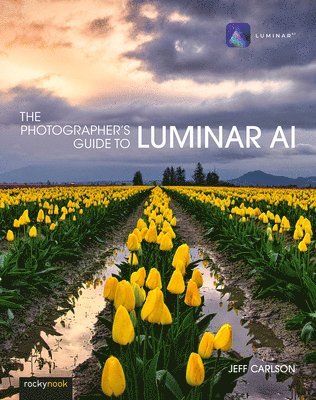
Skylum's Luminar AI is a great solution for both professional and amateur photographers who want to quickly create stunning photos. Luminar's advanced AI-based tools eliminate hours of traditional editing tasks, whether you're applying automatic tone and colour adjustments, replacing dreary skies with more dynamic ones, or retouching portraits to smooth skin, remove blemishes, and accentuate flattering facial features. For those who want to dig into editing, powerful tools give you full control over your RAW and JPEG images, including advanced features such as masks, blend modes, and lens correction. Luminar AI also works as a plug-in for other applications, such as Adobe Photoshop, Lightroom Classic, and Apple Photos, allowing round-trip editing and seamless integration with workflows you may already have in place.In this book you'll learn all about:AI editing: Luminar AI's many AI-based tools eliminate hours of traditional editing tasks. Improve overall tone and color using just one slider, and enhance a sky using another without building masks or layers. Realistically replace the entire sky in one step, even when objects like buildings or trees intrude. Luminar identifies faces in photos, allowing you to smooth skin, sharpen eyes, brighten faces, and perform other portrait retouching tasks in minutes.Expert editing: Take advantage of Luminar's many professional tools to bring out the best versions of your photos. Enhance the look using tone controls and curves, dodging and burning, and tools built for specific types of images, such as Landscape Enhancer, Adjustable Gradient, and B & W Conversion. The Erase and Clone & Stamp tools make it easy to remove unexpected objects and glitches such as lens dust spots. Luminar's RAW editing engine includes real-time noise reduction and advanced color processing and sharpening tools, all completely non-destructive and with the ability to step back through the history of edits.Advanced editing: Use masks, blend modes, and lens corrections to combine edits and effects.Creativity: Open your imagination with Luminar's creative tools, which range from adding glow, texture, and dramatic looks to incorporating sunrays and objects into augmented skies.Presets and LUTs (Lookup Tables): Learn how to use Luminar Looks presets and LUTs to bring the look of simulated film stocks and creative colour grades to your work.Luminar Library: Organise and manage your photos in a central library where your source images can reside where you want them, whether that's on your hard disk, a network volume, or in local cloud services folders such as Dropbox or Google Drive for remote backup.Luminar plug-ins: If you already use other applications to organise your library or for photo editing, such as Adobe Photoshop or Lightroom Classic, Luminar AI also works as a plug-in that allows round-trip editing and seamless integration with the workflows you may already have in place.Sharing images: Whether you're printing your images or sharing them online, learn how to make your photos look their best no matter what output solution you need.
510 kr
Skickas inom 7-10 vardagar
Adobe Lightroom: A Complete Course and Compendium of Features is your guide to using Adobe Lightroom for importing, organizing, editing, and outputting your images. Whether you re keywording your most recent shoot, organizing your photo library, or developing and printing your best five-star images, Lightroom is the tool for you and this book will teach you what you need to know. First, with a complete Course that includes a set of projects and lessons created by photographer and author Jeff Carlson, you will learn the procedures needed to use Lightroom effectively and professionally. Dozens of lessons are included that can be applied to any number of photographs or situations you'll encounter in Lightroom. Through these step-by-step lessons, you ll be exposed to all of Lightroom's features in practical contexts and its best practices for an optimal workflow. Then, for greater depth of knowledge and subsequent reference, you ll use the Compendium to uncover more of the how and why of Lightroom. With each topic easy to access, you can find and explore all of Lightroom's key features and concepts in depth. With cross references between the Course and Compendium, the two parts of the book complement each other perfectly. Best of all, when the lessons in the Course are done, the Compendium will continue to serve for months and years to come. Learn step by step how to: Set up an ideal workspace in Lightroom Import and organize your images Develop your photographs with powerful global and sophisticated local adjustments Become incredibly efficient in your use of Lightroom, from creating and applying presets to using quick keyboard shortcuts to syncing changes across numerous images Output your work for any purpose And much more!
251 kr
Skickas inom 3-6 vardagar
231 kr
Skickas inom 3-6 vardagar