• Fri frakt över 249 kr
  • •
  • Snabba leveranser
  • •
  • Billiga böcker
Kundservice

Du är på sajten för privatpersoner.

Företag, bibliotek eller offentlig verksamhet?

Du handlar på classic.bokus.com, där alla dina funktioner finns intakta.
Till classic.bokus.com
Bokus logotyp. Gå till startsidan.
  • Erbjudanden
  • Nyheter
  • Student
  • Topplistor
  • Barn & ungdom
  • Bokus Play
  • E-böcker
  • Pocketböcker
  • Spel & pussel

10% rabatt på allt med kod: NYSTART10 →

Sidfot

Mina sidor

    Hjälp

    • Kundservice
    • Vanliga frågor och svar
    • Frakt och leverans
    • Retur vid ångerrätt
    • Reklamera vara
    • Betalning
    • Köpvillkor
    • Allmänna villkor
    • Information om webbplatsens tillgänglighet

    Om Bokus

    • Om oss
    • Pressrum
    • För studenter
    • För företag
    • För bibliotek och offentlig verksamhet
    • För leverantörer
    • Hållbarhet

    Populärt

    • Aktuella erbjudanden
    • Presentkort
    • Studentlitteratur
    • Nya böcker
    • Topplistor
    • Signerade böcker
    • Engelska böcker

    Inspiration

    • Boktips
    • BookTok
    • Populära bokserier
    • Barnbokskaraktärer
    • Populära författare
    Logotyp för Bokus
    Följ oss på Facebook (extern länk)Följ oss på Instagram (extern länk)Följ oss på YouTube (extern länk)Följ oss på TikTok (extern länk)
    bokus @ CookiesAnpassa cookiesIntegritetspolicyKöpvillkor
    Till Citymail hemsida (extern länk)Till Budbee hemsida (extern länk)Till Postnord hemsida (extern länk)Till Schenker hemsida (extern länk)Till Early Bird hemsida (extern länk)Till Walleys hemsida (extern länk)
    1. Data och IT
    2. Affärsapplikationer

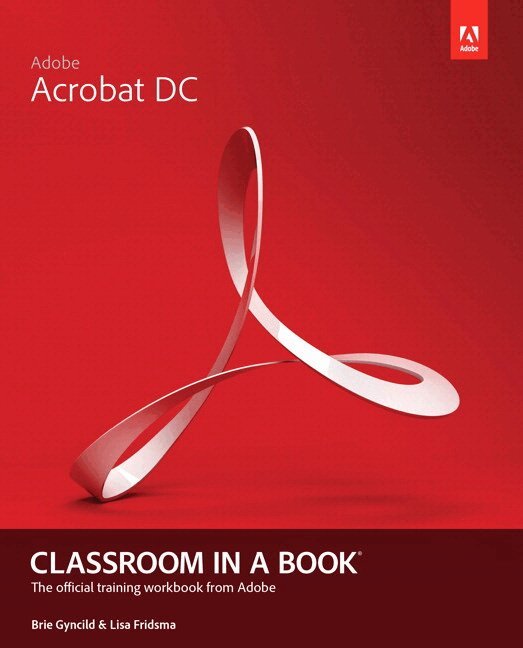
    Adobe Acrobat DC Classroom in a Book

    AvLisa Fridsma,Brie Gyncild

    Pearson Education (US)

    2015

    479 kr

    Beställningsvara. Skickas inom 7-10 vardagar. Fri frakt över 249 kr.

    Beskrivning

    Adobe Acrobat DC Classroom in a Book is the most thorough and comprehensive way for students to learn how to reliably create, edit, and sign PDF documents and forms with Adobe Acrobat DC. Each of the 13 lessons in this step-by-step, project-based guide contains a project that builds on their growing knowledge of the program, while end-of-chapter review questions reinforce each lesson. This cross-platform (Mac and Windows) book shows students how to collaborate effectively through electronic reviews, easily share their work across multiple platforms and devices (including via the new Adobe Document Cloud service), and speed up their production and business task workflow with Acrobat DC. All of the book’s screenshots have been updated for the new edition, showing users how to navigate the completely overhauled user interface–a selling point for existing users of the software. Readers will also learn how to use the new Tool pane so they can easily convert files (Microsoft Office documents and graphics) to PDF and then learn how to directly edit text and images in their PDFs. They'll also learn how to use the newly refreshed tools to build PDF or web forms, speed up business workflow by gathering feedback and approval via online document reviews. And they'll learn how to create interactive forms and track responses within Acrobat, how to add signatures and security to their PDF files, and much more. All of the project files used in the book’s lessons are available for readers to download at peachpit.com.

    Produktinformation

    • Märke:Pearson Education (US)
    • Utgivningsdatum:2015-06-18
    • Höjd:190 x 230 x 16 mm
    • Vikt:600 g
    • Språk:Engelska
    • Förlag:Pearson Education (US)
    • EAN:9780134171838

    Utforska kategorier

    • Affärsapplikationer inom Data och IT
    • Grafik och bildbehandling inom Data och IT

    Mer om författaren

    Lisa Fridsma is has long loved the process of teaching others to use Adobe product. She has written, edited, and designed over thirty books in the Classroom in a Book series over the last decade and a half (including books on Photoshop and After Effects), going back to her time on-staff at Adobe. She’s currently the owner of Darlington Hill Productions (Informational illustrations and publishing). Lisa lives in Bethesda, MD with her family and two above-average dogs.  Brie Gyncild aims to make technical information accessible to those who need it. Brie has authored The Photoshop CS5 Pocket Guide and The Photoshop Elements 8 Pocket Guide. She has also co-written The Photoshop Show Starring Russell Brown; numerous editions of the Classroom in a Book series on Photoshop, After Effects, Flash, and Acrobat; and several editions of the How to Wow series. Brie lives in Seattle with two cats and an overgrown garden.

    Innehållsförteckning

    • GETTING STARTED About Classroom in a Book Acrobat Pro and Acrobat Standard Prerequisites Installing Adobe Acrobat Options for purchasing Acrobat DC Starting Adobe Acrobat Online content Additional resources Adobe Authorized Training Centers Going mobile 1  INTRODUCING ADOBE ACROBAT DC About PDF About Adobe Acrobat About Acrobat Reader About the Acrobat DC mobile app Using PDF on the web Adding Acrobat Reader installers Opening a PDF file Working with toolbars Working with tools Tools in the Tools pane Navigating PDF documents Viewing PDF presentations in Full Screen mode Viewing PDF files in Read mode Setting Acrobat preferences for web browsing Customizing the Acrobat toolbar Customizing the brightness of the user interface Getting help Review questions and answers 2 CREATING ADOBE PDF FILES About creating Adobe PDF files Using the Create PDF tool Dragging and dropping files Saving PDF files to cloud accounts Converting different types of files Inserting a blank page Using PDFMaker Using the Print command to create Adobe PDF files Reducing file size Adobe PDF presets Optimizing PDF files (Acrobat Pro only) Creating files from the clipboard Scanning a paper document Making scanned text editable and searchable Converting web pages to Adobe PDF Review ques