• Fri frakt över 249 kr
  • •
  • Snabba leveranser
  • •
  • Billiga böcker
Kundservice

Du är på sajten för privatpersoner.

Företag, bibliotek eller offentlig verksamhet?

Du handlar på classic.bokus.com, där alla dina funktioner finns intakta.
Till classic.bokus.com
Bokus logotyp. Gå till startsidan.
  • Erbjudanden
  • Nyheter
  • Student
  • Topplistor
  • Barn & ungdom
  • Bokus Play
  • E-böcker
  • Pocketböcker
  • Spel & pussel

10% rabatt på allt med kod NYSTART10 →

Sidfot

Mina sidor

    Hjälp

    • Kundservice
    • Vanliga frågor och svar
    • Frakt och leverans
    • Retur vid ångerrätt
    • Reklamera vara
    • Betalning
    • Köpvillkor
    • Allmänna villkor
    • Information om webbplatsens tillgänglighet

    Om Bokus

    • Om oss
    • Pressrum
    • För studenter
    • För företag
    • För bibliotek och offentlig verksamhet
    • För leverantörer
    • Hållbarhet

    Populärt

    • Aktuella erbjudanden
    • Presentkort
    • Studentlitteratur
    • Nya böcker
    • Topplistor
    • Signerade böcker
    • Engelska böcker

    Inspiration

    • Boktips
    • BookTok
    • Populära bokserier
    • Barnbokskaraktärer
    • Populära författare
    Logotyp för Bokus
    Följ oss på Facebook (extern länk)Följ oss på Instagram (extern länk)Följ oss på YouTube (extern länk)Följ oss på TikTok (extern länk)
    bokus @ CookiesAnpassa cookiesIntegritetspolicyKöpvillkor
    Till Citymail hemsida (extern länk)Till Budbee hemsida (extern länk)Till Postnord hemsida (extern länk)Till Schenker hemsida (extern länk)Till Early Bird hemsida (extern länk)Till Walleys hemsida (extern länk)
    1. Data och IT
    2. Affärsapplikationer

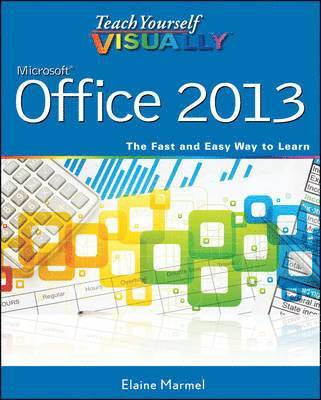
    Teach Yourself VISUALLY Office 2013

    AvElaine Marmel

    Häftad, Engelska, 2013

    Del 143 i serien Teach Yourself VISUALLY (Tech)

    223 kr

    Beställningsvara. Skickas inom 5-8 vardagar. Fri frakt över 249 kr.

    Fler format och utgåvor

    E-bok

    281 kr

    E-bok

    281 kr

    Beskrivning

    Learn the new Microsoft Office suite the easy, visual wayMicrosoft Office 2013 is a power-packed suite of office productivity tools including Word, Excel, PowerPoint, Outlook, Access, and Publisher. This easy-to-use visual guide covers the basics of all six programs, with step-by-step instructions and full-color screen shots showing what you should see at each step. You'll also learn about using Office Internet and graphics tools, while the additional examples and advice scattered through the book give you tips on maximizing the Office suite. If you learn best when you can see how things are done, this book is for you. Shows you how to use Microsoft Office 2013 with easy-to-follow, step-by-step instructions illustrated with full-color screen shotsCovers Word, Excel, PowerPoint, Outlook, Access, and PublisherIncludes additional information on using Office Internet and graphics toolsDesigned to help visual learners read less and learn moreTeach Yourself VISUALLY Office 2013 shows you how to use all six tools in the Office suite, step by step.

    Produktinformation

    • Utgivningsdatum:2013-03-22
    • Mått:183 x 226 x 20 mm
    • Vikt:885 g
    • Format:Häftad
    • Språk:Engelska
    • Serie:Teach Yourself VISUALLY (Tech)
    • Antal sidor:448
    • Förlag:John Wiley & Sons Inc
    • ISBN:9781118517680

    Utforska kategorier

    • Affärsapplikationer inom Data och IT

    Mer om författaren

    Elaine Marmel is President of Marmel Enterprises, LLC, an organization that specializes in technical writing and software training. Elaine has an MBA from Cornell University and worked on projects to build financial management systems for New York City and Washington, D.C. This prior experience provided the foundation for Marmel Enterprises, LLC to help small businesses manage the project of implementing a computerized accounting system.Elaine spends most of her time writing; she has authored and co-authored more than 65 books about Microsoft Excel, Microsoft Word, Microsoft Project, QuickBooks, Peachtree, Quicken for Windows, Quicken for DOS, Microsoft Word for the Mac, Microsoft Windows, 1-2-3 for Windows, and Lotus Notes. From 1994 to 2006, she also was the contributing editor to monthly publications Inside Peachtree, Inside Timeslips, and Inside QuickBooks.

    Innehållsförteckning

    • Part I Office FeaturesChapter 1 Office Basics 4Chapter 2 Working with Files 14Chapter 3 Office Graphics Tools 32Chapter 4 Working with Office Files Online 40Part II WordChapter 5 Adding Text 62Chapter 6 Formatting Text 72Chapter 7 Adding Extra Touches 92Chapter 8 Reviewing Documents 118Part III ExcelChapter 9 Building Spreadsheets 144Chapter 10 Worksheet Basics 174Chapter 11 Working with Formulas and Functions 194Chapter 12 Working with Charts 210Part IV PowerPointChapter 13 Creating a Presentation 224Chapter 14 Populating Presentation Slides 238Chapter 15 Assembling and Presenting a Slide Show 256Part V AccessChapter 16 Database Basics 286Chapter 17 Adding, Finding, and Querying Data 308Part VI OutlookChapter 18 Organizing with Outlook 332Chapter 19 E-Mailing with Outlook 350Part VII Publisher BasicsChapter 20 Publisher Basics 366Chapter 21 Fine-Tuning a Publication 376Part VIII OneNoteChapter 22 Taking Notes with OneNote 396Chapter 23 Organizing and Sharing Notes 408Index 420