• Fri frakt över 249 kr
  • •
  • Snabba leveranser
  • •
  • Billiga böcker
Kundservice

Du är på sajten för privatpersoner.

Företag, bibliotek eller offentlig verksamhet?

Du handlar på classic.bokus.com, där alla dina funktioner finns intakta.
Till classic.bokus.com
Bokus logotyp. Gå till startsidan.
  • Erbjudanden
  • Nyheter
  • Student
  • Topplistor
  • Barn & ungdom
  • Bokus Play
  • E-böcker
  • Pocketböcker
  • Spel & pussel

10% rabatt på allt med kod NYSTART10 →

Sidfot

Mina sidor

    Hjälp

    • Kundservice
    • Vanliga frågor och svar
    • Frakt och leverans
    • Retur vid ångerrätt
    • Reklamera vara
    • Betalning
    • Köpvillkor
    • Allmänna villkor
    • Information om webbplatsens tillgänglighet

    Om Bokus

    • Om oss
    • Pressrum
    • För studenter
    • För företag
    • För bibliotek och offentlig verksamhet
    • För leverantörer
    • Hållbarhet

    Populärt

    • Aktuella erbjudanden
    • Presentkort
    • Studentlitteratur
    • Nya böcker
    • Topplistor
    • Signerade böcker
    • Engelska böcker

    Inspiration

    • Boktips
    • BookTok
    • Populära bokserier
    • Barnbokskaraktärer
    • Populära författare
    Logotyp för Bokus
    Följ oss på Facebook (extern länk)Följ oss på Instagram (extern länk)Följ oss på YouTube (extern länk)Följ oss på TikTok (extern länk)
    bokus @ CookiesAnpassa cookiesIntegritetspolicyKöpvillkor
    Till Citymail hemsida (extern länk)Till Budbee hemsida (extern länk)Till Postnord hemsida (extern länk)Till Schenker hemsida (extern länk)Till Early Bird hemsida (extern länk)Till Walleys hemsida (extern länk)
    1. Data och IT
    2. Hårdvara

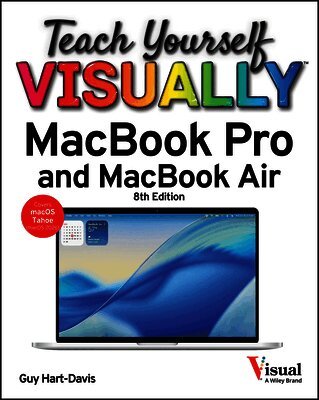
    Teach Yourself VISUALLY MacBook Pro and MacBook Air

    AvGuy Hart-Davis

    Häftad, Engelska, 2026

    Del i serien Teach Yourself VISUALLY (Tech)

    244 kr

    Beställningsvara. Skickas inom 5-8 vardagar. Fri frakt över 249 kr.

    Fler format och utgåvor

    E-bok

    281 kr

    E-bok

    281 kr

    E-bok

    374 kr

    E-bok

    374 kr

    E-bok

    423 kr

    E-bok

    423 kr

    Beskrivning

    The visual learner's guide to getting up and running with your Apple laptop Teach Yourself VISUALLY MacBook Pro and MacBook Air covers all the vital information you need to start working on your MacBook. With this highly illustrated and easy-to-follow guide, you'll learn to navigate the macOS interface like a pro, customize your desktop with the widgets you need, and get your MacBook working with iCloud, your iPhone, and your iPad. This book's graphical, step-by-step instructions walk you through everything from installation to troubleshooting, helping you to get the most out of the investment you've made in your MacBook. This fully updated edition helps you become a power user of the latest MacBook models and exploit the features in macOS Tahoe, Apple's state-of-the-art operating system, and the apps that come with it. If you prefer to learn visually, this is the book you need. Discover how to: Perform everyday tasks quickly and easilyCustomize settings to make macOS and its apps work the way you preferCommunicate via audio and video with FaceTime, via instant messaging with Messages, and via email with MailOrganize your life with Calendar, Contacts, Reminders, Notes, and MapsMake the most of your iCloud accountInstead of confusing tech-speak and vague instructions, this guide is packed with screenshots, easy-to-follow instructions, and a practical sensibility. Grab Teach Yourself VISUALLY MacBook Pro and MacBook Air and explore all that your MacBook can do.

    Produktinformation

    • Utgivningsdatum:2026-02-16
    • Mått:230 x 20 x 190 mm
    • Vikt:695 g
    • Format:Häftad
    • Språk:Engelska
    • Serie:Teach Yourself VISUALLY (Tech)
    • Antal sidor:336
    • Upplaga:8
    • Förlag:John Wiley & Sons Inc
    • ISBN:9781394387649

    Utforska kategorier

    • Hårdvara inom Data och IT
    • Operativsystem inom Data och IT
    • Programmeringsböcker inom Data och IT

    Innehållsförteckning

    • Chapter 1 Getting Started with Your MacBookUnderstanding the MacBook Pro and MacBook Air 4Set Up Your MacBook 8Start Your MacBook and Log In 12Explore the macOS Desktop 14Point and Click with the Trackpad 18Connect to a Wireless Network 20Give Commands 22Open, Close, and Manage Windows 24Using Control Center 26Using Notifications 28Add Widgets to Your Desktop 30Put Your MacBook to Sleep and Wake It Up 32Log Out, Shut Down, and Resume 33Chapter 2 Configuring Your MacBookChange the Wallpaper 36Set Up a Screen Saver 38Configure Battery and Sleep Settings 40Customize the Dock 42Configure the Menu Bar 44]Configure Control Center 46Add or Remove Desktop Spaces 48Create Hot Corners to Control Screen Display 50Make the Screen Easier to See 52Configure the Appearance, Accent, and Highlight 56Configure the Keyboard 58Configure the Trackpad or Other Pointing Device 60Configure iCloud Settings 62Add a Second Display 64Using an iPad as an Extra Display 66Connect External Devices 68Explore Other Important Settings 70Chapter 3 Sharing Your MacBook with OthersCreate a User Account 74Configure Your MacBook for Multiple Users 76Share Your MacBook with Fast User Switching 78Set Up Family Sharing 80Turn On Screen Time for a Child 84Configure Downtime 85Set Time Limits for Apps and Websites 86Make Apps Always Available to a User 88Apply Content and Privacy Restrictions 90Review a User's Actions 92Chapter 4 Running AppsOpen an App and Quit It 96Install an App 98Run an App Full Screen 100Set Apps to Run Automatically at Login 102Move, Resize, Fill, and Arrange Windows 104Switch Quickly Among Apps 106Switch Apps Using Mission Control 108Enable and Configure Stage Manager 110Switch Apps Using Stage Manager 112Set Up Dictation and Read & Speak 114Using Dictation and Read & Speak 116Configure and Invoke Siri 118Perform Tasks with Siri 120Remove Apps 122Identify Problem Apps 124Force a Crashed App to Quit 125Revert to an Earlier Version of a Document 126Chapter 5 Managing Your Files and FoldersExplore Your MacBook's File System 130Using the Finder's Views 132Work with Finder Tabs 134View a File with Quick Look 136Organize Your Desktop Files with Stacks 138Search for a File or Folder 140Create a New Folder 142Rename a File or Folder 143Copy a File 144Move a File 146View the Information About a File or Folder 148Organize Your Files with Tags 150Work with Zip Files 152Using the Trash 154Configure Finder Settings 156Customize the Finder Toolbar 158Customize the Finder Sidebar 159Chapter 6 Surfing the WebOpen Safari and Customize Your Start Page 162Open a Web Page 164Follow a Link to a Web Page 165Open Several Web Pages at Once 166Navigate Among Web Pages 168Return to a Recently Visited Page 170Play Music and Videos on the Web 172Set Your Home Page and Search Engine 174Create Bookmarks for Web Pages 176Using Reader View and Reading List 178Organize Safari Tabs into Tab Groups 180Download a File 182Create and Use Safari Profiles 184Chapter 7 Sending and Receiving E-MailSet Up Your E-Mail Accounts 188Send an E-Mail Message 190eceive and Read Your Messages 192Reply to or Forward a Message 194Send and Receive Files via E-Mail 196View E-Mail Messages by Conversations 198Block and Unblock Contacts 200Reduce the Amount of Spam You Receive 202Chapter 8 Chatting and CallingConfigure the Messages App 206Chat with a Contact 208Send and Receive Files with Messages 210Sign In to FaceTime and Choose Settings 212Make and Receive FaceTime Calls 214Phone and Text from Your Mac 216Chapter 9 Organizing Your LifeManage Your Apple Account and iCloud Account 220Navigate the Calendar App 222Create a New Calendar 224Create an Event 226Share an iCloud Calendar with Other People 228Subscribe to a Shared Calendar 230Add Someone to Your Contacts 232Organize Contacts into Lists 234Create Notes 236Track Your Commitments with Reminders 240Make the Most of the Maps App 244Chapter 10 Enjoying Music, Video, and BooksAdd Your Music to the Music App 248Set Up Home Sharing 250Play Songs 252Create Playlists 254Create Smart Playlists 256Listen to Apple Radio and Internet Radio 258Enjoy Podcasts 260Play Videos with the TV App 262Read Books 264Chapter 11 Making the Most of Your PhotosImport Photos 268Browse Your Photos 270Select Photos from Bursts 272Crop a Photo 274Rotate or Straighten a Photo 276Improve a Photos Colors 278Add Filters to Photos 280Create Photo Albums 282Create and Play Slide Shows 284E-Mail a Photo 286Shoot Photos or Movies of Yourself 288Chapter 12 Networking, Security, and TroubleshootingTransfer Files Using AirDrop 292Connect to a Shared Folder 294Share a Folder 296Connect to a Shared or Network Printer 298Tighten Your MacBooks Security 300Choose Privacy Settings for Location Services 302Reclaim Space by Emptying the Trash 304Keep macOS Current by Applying Updates 306Keep Your Apps Up to Date 308Back Up Your Files 310Recover Files from Backup 312Deal with macOS Crashes and Worse 314Index 316

    Betyg & recensioner

    3/5