• Fri frakt över 249 kr
  • •
  • Snabba leveranser
  • •
  • Billiga böcker
Kundservice

Du är på sajten för privatpersoner.

Företag, bibliotek eller offentlig verksamhet?

Du handlar på classic.bokus.com, där alla dina funktioner finns intakta.
Till classic.bokus.com
Bokus logotyp. Gå till startsidan.
  • Erbjudanden
  • Student
  • Topplistor
  • Barn & ungdom
  • Bokus Play
  • E-böcker
  • Ljudböcker
  • Pocketböcker
  • Spel & pussel

10% rabatt på allt med kod NYSTART10 →

Sidfot

Mina sidor

    Hjälp

    • Kundservice
    • Vanliga frågor och svar
    • Frakt och leverans
    • Retur vid ångerrätt
    • Reklamera vara
    • Betalning
    • Köpvillkor
    • Allmänna villkor
    • Information om webbplatsens tillgänglighet

    Om Bokus

    • Om oss
    • Pressrum
    • För studenter
    • För företag
    • För bibliotek och offentlig verksamhet
    • För leverantörer
    • Hållbarhet

    Populärt

    • Aktuella erbjudanden
    • Presentkort
    • Studentlitteratur
    • Nya böcker
    • Topplistor
    • Signerade böcker
    • Engelska böcker

    Inspiration

    • Boktips
    • BookTok
    • Populära bokserier
    • Barnbokskaraktärer
    • Populära författare
    Logotyp för Bokus
    Följ oss på Facebook (extern länk)Följ oss på Instagram (extern länk)Följ oss på YouTube (extern länk)Följ oss på TikTok (extern länk)
    bokus @ CookiesAnpassa cookiesIntegritetspolicyKöpvillkor
    Till Citymail hemsida (extern länk)Till Budbee hemsida (extern länk)Till Postnord hemsida (extern länk)Till Schenker hemsida (extern länk)Till Early Bird hemsida (extern länk)Till Walleys hemsida (extern länk)
    1. Data och IT
    2. Digital livsstil och datorspel

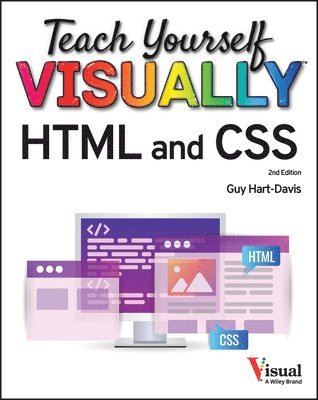
    Teach Yourself VISUALLY HTML and CSS

    AvGuy Hart-Davis

    Häftad, Engelska, 2023

    Del i serien Teach Yourself VISUALLY (Tech)

    237 kr

    Beställningsvara. Skickas inom 5-8 vardagar. Fri frakt över 249 kr.

    Fler format och utgåvor

    E-bok

    407 kr

    E-bok

    407 kr

    Beskrivning

    Level-up your HTML and CSS web development skills with this dynamic, visual guide Teach Yourself VISUALLY HTML and CSS is the perfect resource for those of you who prefer to learn visually and would rather be shown how to do something – with crystal-clear screenshots and easy explanations – than suffer through long-winded explanations. You’ll find step-by-step walkthroughs showing you how to tackle over 120 individual tasks involving HTML and CSS. Each task-based spread covers a single technique, ensuring you learn first the basics and then more advanced topics one straightforward piece at a time. You'll learn to write HTML code in a text editor or an integrated development environment, add and format text, prepare images for the web, insert links to other pages, control layout with style sheets, add JavaScript to a web page, and more. You’ll also discover how to: Create websites that look great in 2023 and beyond with classic HTML and skills and the most modern tips and tricks for contemporary web codingOptimize your websites for performance and speed, ensuring every visitor gets the best possible experienceAdd modern elements to your code, including , , , and , and make your code accessible to as many people as possibleTeach Yourself VISUALLY HTML and CSS is your personal roadmap to understanding how to get the most out of HTML and CSS to create, format, and troubleshoot websites of all kinds. This book will get you to the next level of web development, quickly and easily.

    Produktinformation

    • Utgivningsdatum:2023-08-21
    • Mått:193 x 226 x 25 mm
    • Vikt:658 g
    • Format:Häftad
    • Språk:Engelska
    • Serie:Teach Yourself VISUALLY (Tech)
    • Antal sidor:320
    • Upplaga:2
    • Förlag:John Wiley & Sons Inc
    • ISBN:9781394160686

    Utforska kategorier

    • Digital livsstil och datorspel inom Data och IT

    Innehållsförteckning

    • Chapter 1 Getting Ready to Create WebsitesGrasp How the Web Works 4Understanding HTML, CSS, and Responsive Web Design 6Understanding Static and Dynamic Web Pages 8What Is a Responsive Website? 9Understanding Tools for Creating Web Pages 10Prepare to Create Your Website 12Install Visual Studio Code 14Meet and Configure Visual Studio Code 16Install GIMP 20Install the Major Browsers 22Create a Folder Structure for Your Website 24Chapter 2 Creating Your First Web Pages Study the Anatomy of a Web Page 28Tell Visual Studio Code Which Folder to Use 30Create Your First Web Page 32Open the Web Page in a Browser 34Add Headings and Text 36Nest One Element Within Another Element 38Add Comments 39Apply Direct Formatting 40View a Page’s Source Code 41Validate a Web Page 42Create Another Web Page 44Understanding the Essentials of Hyperlinks 45Create a Hyperlink Between Your Web Pages 46Interpret HTTP Status Codes 48Chapter 3 Structuring a Web Page Meet the Elements for Structuring Web Pages 52Select Items with span and div Elements 54Create header Elements and footer Elements 56Add article Elements to a Page 58Create Pull Quotes with the aside Element 60Divide a Page Using section Elements 62Create Collapsible Sections 64Chapter 4 Including Images Grasp the Essentials of Web Image Formats 68Launch GIMP and Perform Essential Moves 70Rotate or Straighten an Image 74Crop an Image 76Resize an Image 78Reduce the Number of Colors in an Image 80Convert an Image to the Format You Need 82Learn the HTML for Images 84Insert an Image 86Create a Figure with a Caption 88Chapter 5 Working with Links Grasp the Essentials of Links 92Create a Link to a Web Page 94Create a Link to Elsewhere on the Same Web Page 96Specify the ScreenTip for a Link 98Redirect the Browser to a Different Page 99Create a Link for Downloading a File 100Create a Link That Starts an Email Message 101Create a Link from an Image 102Create Multiple Links from an Image 104Include an Audio File in a Web Page 108Include a Video File in a Web Page 110Embed a YouTube Video in a Web Page 112Chapter 6 Creating Lists and Tables Grasp the Different Types of Lists 116Create a Numbered List 118Create a Bulleted List 120Create a Definition List 122Nest One List Inside Another List 124Learn the HTML for Tables 126Create a Table 128Add Rows or Columns to a Table 130Specify Table Width and Column Width 132Format Table Borders 134Adjust Table Padding and Spacing 136Create Groups of Columns 138Align Tables, Rows, and Cells 140Create Cells That Span Rows or Columns 142Set a Background Color or Image for a Table 143Nest One Table Inside Another Table 144Chapter 7 Getting Started with CSS Grasp How CSS Works 148Format Elements with Inline CSS 150Format a Page Using Internal CSS 152Create an External CSS File 154Link an External CSS File to a Web Page 156Distinguish Element, Class, and ID Selectors 158Apply Styles Using Element Selectors 159Apply Styles Using Class Selectors 160Apply Styles Using ID Selectors 162Chapter 8 Formatting Text with CSS Understanding Fonts and How to Use Them 166Specify the Font Family 168Set the Font Size and Font Weight 170Adjust Line Height and Letter Spacing 172Create Superscripts and Subscripts 174Understanding Ways to Set Color in CSS 176Set Font Color 177Apply Text Shadows 178Display Monospaced Font 179Apply Text Decoration 180Understanding HTML Entities 182Insert Special Characters with HTML Entities 184Insert Emojis 185Using Custom Fonts on Web Pages 186Chapter 9 Sizing and Positioning with CSS Understanding Pseudo-Classes 190Apply Contextual Formatting with Pseudo-Classes 192Understanding CSS Combinators 194Target Elements Using CSS Combinators 196Understanding Pseudo-Elements 198Apply CSS to Pseudo-Elements 200Override CSS by Using the ! important Declaration 202Understanding the CSS Box Model 204Understanding Ways of Sizing Elements 206Specify the Size for an Element 208Specify Padding and Borders for an Element 210Set Margins to Control Element Spacing 212Understanding CSS Positioning Essentials 214Create Block Quotes 216Fix an Element in Place in the Viewport 218Float an Element Beside Another Element 220Understanding the display Property 222Control the Display of an Element 223Create a Flexbox Layout 224Chapter 10 Creating Responsive and Appealing Pages Understanding the Tools for Creating Responsive Pages 228Apply Relative Sizing 230Add Media Queries to a Page 232Set Tap Targets for Touch Screens 234Set the Viewport Size 236Check Your Pages on Various Devices and Screens 238Understanding How CSS Gradients Work 240Apply a Linear Gradient to an Element 242Apply a Radial Gradient to an Element 244Using Sprites 246Understanding CSS Animations 248Apply Transitions to HTML Elements 250Create a Keyframe Animation 252Chapter 11 Creating Forms Grasp Web Form Essentials 256Create a Form 258Add Text Input Controls to a Form 260Add Radio Buttons to a Form 262Add Check Boxes to a Form 264Add a Drop-Down List of Options to a Form 266Add Command Buttons to a Form 268Chapter 12 Taking Your Website to the Next Level Understanding How Search Engines Work 272Optimize Your Website for Search Engines 274Guide Search Spiders with a robots.txt File 276Understanding Accessibility Issues for Websites 278Meet Chrome’s Live Development Tools 280Troubleshoot CSS with Chrome DevTools 282Using a Staging Server 288Understanding Front-End Frameworks 290Index 292