• Fri frakt över 249 kr
  • •
  • Snabba leveranser
  • •
  • Billiga böcker
Kundservice

Du är på sajten för privatpersoner.

Företag, bibliotek eller offentlig verksamhet?

Du handlar på classic.bokus.com, där alla dina funktioner finns intakta.
Till classic.bokus.com
Bokus logotyp. Gå till startsidan.
  • Erbjudanden
  • Student
  • Topplistor
  • Barn & ungdom
  • Bokus Play
  • E-böcker
  • Ljudböcker
  • Pocketböcker
  • Spel & pussel

10% rabatt på allt med kod NYSTART10 →

Sidfot

Mina sidor

    Hjälp

    • Kundservice
    • Vanliga frågor och svar
    • Frakt och leverans
    • Retur vid ångerrätt
    • Reklamera vara
    • Betalning
    • Köpvillkor
    • Allmänna villkor
    • Information om webbplatsens tillgänglighet

    Om Bokus

    • Om oss
    • Pressrum
    • För studenter
    • För företag
    • För bibliotek och offentlig verksamhet
    • För leverantörer
    • Hållbarhet

    Populärt

    • Aktuella erbjudanden
    • Presentkort
    • Studentlitteratur
    • Nya böcker
    • Topplistor
    • Signerade böcker
    • Engelska böcker

    Inspiration

    • Boktips
    • BookTok
    • Populära bokserier
    • Barnbokskaraktärer
    • Populära författare
    Logotyp för Bokus
    Följ oss på Facebook (extern länk)Följ oss på Instagram (extern länk)Följ oss på YouTube (extern länk)Följ oss på TikTok (extern länk)
    bokus @ CookiesAnpassa cookiesIntegritetspolicyKöpvillkor
    Till Citymail hemsida (extern länk)Till Budbee hemsida (extern länk)Till Postnord hemsida (extern länk)Till Schenker hemsida (extern länk)Till Early Bird hemsida (extern länk)Till Walleys hemsida (extern länk)
    1. Data och IT
    2. Informationsteknik: allmänt

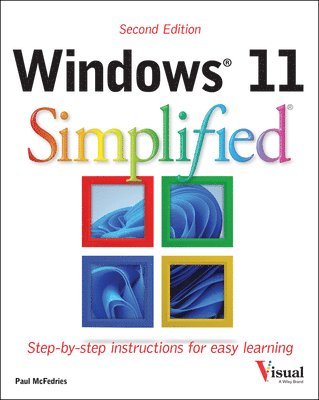
    Windows 11 Simplified

    AvPaul McFedries

    Häftad, Engelska, 2025

    Del i serien Teach Yourself VISUALLY (Tech)

    193 kr

    Beställningsvara. Skickas inom 5-8 vardagar. Fri frakt över 249 kr.

    Fler format och utgåvor

    Häftad

    320 kr

    E-bok

    342 kr

    E-bok

    342 kr

    E-bok

    309 kr

    E-bok

    309 kr

    Beskrivning

    Learn Windows 11 quickly and painlessly with this beginner's guide Windows 11 Simplified, 2nd Edition is your absolute beginner's guide to the ins and outs of Windows. Fully updated to cover Windows 11 and the latest updates from Microsoft, this highly visual guide covers all the new features in addition to the basics, giving you a one-stop resource for complete Windows 11 mastery. Every page features step-by-step screen shots and plain-English instructions that walk you through everything you need to know, no matter how new you are to Windows. You'll master the basics as you learn how to navigate the user interface, work with files, create user accounts, and practice using the tools that make Windows 11 the most efficient Windows upgrade yet. This guide gets you up to speed quickly, with step-by-step screen shots that help you follow along with the clear, patient instruction. Shed your beginner status with easy-to-follow instructionsMaster the basics of the interface, files, and accountsBrowse the web, use media features, and send and receive email Customize Windows to look and work the way you wantLearning new computer skills can be intimidating, but it doesn't have to be. Even if you have no Windows experience at all, this visually rich guide demonstrates everything you need to know, starting from the very beginning. If you're ready to become fluent in Windows, Windows 11 Simplified, 2nd Edition is the easiest, fastest way to learn.

    Produktinformation

    • Utgivningsdatum:2025-02-17
    • Mått:203 x 252 x 15 mm
    • Vikt:658 g
    • Format:Häftad
    • Språk:Engelska
    • Serie:Teach Yourself VISUALLY (Tech)
    • Antal sidor:256
    • Upplaga:2
    • Förlag:John Wiley & Sons Inc
    • ISBN:9781394279876

    Utforska kategorier

    • Informationsteknik: allmänt inom Data och IT
    • Affärsapplikationer inom Data och IT
    • Operativsystem inom Data och IT

    Mer om författaren

    Paul McFedries is a full-time technical writer. Paul has been authoring computer books since 1991, and he has more than 100 books to his credit. Paul's books have sold more than four million copies worldwide. These books include the Wiley titles Teach Yourself VISUALLY Windows 11, Second Edition, Teach Yourself VISUALLY Microsoft 365, Second Edition, Google Workspace For Dummies, and HTML, CSS, and JavaScript for Dummies. Paul invites you to drop by his personal website at https://paulmcfedries.com and to follow him on X @paulmcf and on Facebook at https://facebook.com/PaulMcFedries.

    Innehållsförteckning

    • Chapter 1 Getting Started with WindowsExplore the PC Screen 4Explore the Start Menu 5Start and Close an App 6Connect to Your Wireless Network 8Put Windows to Sleep 10Restart or Shut Down Windows 11Install an App 12Switch Between Running Apps 14Arrange Running Apps 16Uninstall an App 18Chapter 2 Customizing WindowsPin an App to the Start Menu 22Open the Settings App 24Change the Lock Screen Background 26Choose a Lock Screen Status App 28Customize Syncing Between Devices 30Access an App’s Features 32Pin an App to the Taskbar 34Change the Theme 36Adjust the Volume 38Set the Time Zone 39Configure Windows to Work with Multiple Monitors 40Customize the Taskbar 42Chapter 3 Surfing the WebOpen a Web Page 46Open a Web Page in a Tab 48Navigate Web Pages 50Find Text on a Page 51Navigate with the History List 52Change Your Startup Page 54Save Favorite Web Pages 56Take Advantage of the Favorites Bar 58Share a Web Page 60Search for Sites 62Download a File 64Chapter 4 Sending and Receiving EmailLaunch the Outlook App 68Add Your Microsoft Account 69Configure More Email Accounts 70Send an Email Message 72Format the Message Text 74Add a File Attachment 76Save a Draft of a Message 78Receive and Read Email Messages 80Reply to a Message 82Forward a Message 84Open and Save an Attachment 86Delete a Message 88Create a Folder for Saving Messages 90Chapter 5 Performing Day-to-Day Tasks with AppsCreate a Contact 94Import Contacts 96View Your Calendar 98Add an Event to Your Calendar 100Create a Recurring Event 102Add an Event Reminder 103Search Your PC 104Write a Note 106Make a To-Do List 108Display a Location on a Map 110Get Directions to a Location 112Check Your Weather Forecast 114Check Another City’s Weather Forecast 116Chapter 6 Working with ImagesImport Images from a Digital Camera 120Navigate the Pictures Folder 122View Your Images 124Start a Slide Show 126Mark a Photo as a Favorite 127Repair an Image 128Add a Photo Effect 130Crop an Image 132Rotate an Image 134Delete an Image 135Take a Picture with Your PC Camera 136Chapter 7 Working with MultimediaImport Videos from a Digital Camera 140Navigate the Videos Folder 142Watch a Video 144Trim a Video 146Buy or Rent a Movie or TV Show 148Navigate the Music Folder 150Play Music 152Create a Playlist 154Chapter 8 Editing DocumentsCreate and Save a Document 158Open a Document 160Edit Document Text 162Find Text 166Replace Text 168Insert Special Symbols 170Chapter 9 Working with FilesSelect a File 174Change the File View 176Preview a File 177Copy a File 178Move a File 179Rename a File 180Create a New File 181Delete a File 182Restore a Deleted File 183Chapter 10 Implementing SecurityUnderstanding Windows Security 186Check for Security Problems 188Scan Your PC for Threats 190Display the Sign-In Options 191Sign In with a PIN 192Set Up a Fingerprint Sign-In 194Sign In with Facial Recognition 196Lock Your Computer 198Configure Your PC to Lock Automatically 200Browse the Web Privately 202Chapter 11 Making Windows More AccessibleIncrease the Text Size 206Magnify Screen Areas 208Have Screen Text Read to You 210Change to a High-Contrast Theme 212Apply a Color Filter 214Flash the Screen During Audio Notifications 216Make the Keyboard More Accessible 218Control Windows Via Voice 220Chapter 12 Putting AI to Work with CopilotUnderstanding Microsoft Copilot 224Chat with Copilot 226Generate Text from a Prompt 228Rewrite Existing Text 230Generate an Image from a Prompt 232Add an Image to a Chat Session 234Voice Chat with Copilot 236Index 238