• Fri frakt över 249 kr
  • •
  • Snabba leveranser
  • •
  • Billiga böcker
Kundservice

Du är på sajten för privatpersoner.

Företag, bibliotek eller offentlig verksamhet?

Du handlar på classic.bokus.com, där alla dina funktioner finns intakta.
Till classic.bokus.com
Bokus logotyp. Gå till startsidan.
  • Erbjudanden
  • Nyheter
  • Student
  • Topplistor
  • Barn & ungdom
  • Bokus Play
  • E-böcker
  • Pocketböcker
  • Spel & pussel

10% rabatt på allt med kod NYSTART10 →

Sidfot

Mina sidor

    Hjälp

    • Kundservice
    • Vanliga frågor och svar
    • Frakt och leverans
    • Retur vid ångerrätt
    • Reklamera vara
    • Betalning
    • Köpvillkor
    • Allmänna villkor
    • Information om webbplatsens tillgänglighet

    Om Bokus

    • Om oss
    • Pressrum
    • För studenter
    • För företag
    • För bibliotek och offentlig verksamhet
    • För leverantörer
    • Hållbarhet

    Populärt

    • Aktuella erbjudanden
    • Presentkort
    • Studentlitteratur
    • Nya böcker
    • Topplistor
    • Signerade böcker
    • Engelska böcker

    Inspiration

    • Boktips
    • BookTok
    • Populära bokserier
    • Barnbokskaraktärer
    • Populära författare
    Logotyp för Bokus
    Följ oss på Facebook (extern länk)Följ oss på Instagram (extern länk)Följ oss på YouTube (extern länk)Följ oss på TikTok (extern länk)
    bokus @ CookiesAnpassa cookiesIntegritetspolicyKöpvillkor
    Till Citymail hemsida (extern länk)Till Budbee hemsida (extern länk)Till Postnord hemsida (extern länk)Till Schenker hemsida (extern länk)Till Early Bird hemsida (extern länk)Till Walleys hemsida (extern länk)
    1. Data och IT
    2. Digital livsstil och datorspel

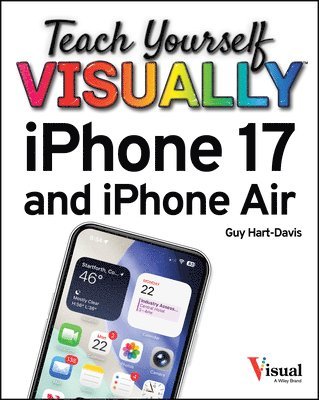
    Teach Yourself VISUALLY iPhone 17 and iPhone Air

    AvGuy Hart-Davis

    Häftad, Engelska, 2025

    Del i serien Teach Yourself VISUALLY (Tech)

    281 kr

    Skickas . Fri frakt över 249 kr.

    Fler format och utgåvor

    E-bok

    411 kr

    E-bok

    411 kr

    Beskrivning

    Learn what your new iPhone 17, 17 Pro, or iPhone Air is capable of with 900 color screen shots! Teach Yourself VISUALLY iPhone 17 and iPhone Air is your ultimate guide to getting the most out of your brand-new iPhone! Apple's graphics-driven iOS 26 is perfect for visual learners, so this book uses a visual approach to show you what you need to know to get up and running—and much, much more. Full-color screen shots walk you step-by-step through setup, configuration, and the full range of your iPhone's awesome capabilities, including the Apple Intelligence features. Whether you are new to the iPhone or have just upgraded to the 17, 17 Pro, or iPhone Air, this book helps you unlock your phone's full functionality and maximize your use and enjoyment of it. Stay in touch by phone, instant messaging, email, and FaceTime Audio or Video calls; download and enjoy music, movies, podcasts, and books; take, edit, and organize photos and videos; track your health, fitness, and habits; manage your schedule, your commitments, and your contacts; and more! The iPhone is user-friendly, attractive, and functional. But it is capable of so much more than you think—don't you want to explore what's possible? This book guides you through iOS 26 visually to help you stay in touch, get things done, and have some fun while you're at it! Get to know the iPhone 17, 17 Pro, and iPhone Air with 900 full-color screen shotsMaster the iPhone's basic functions and learn advanced featuresPersonalize your iPhone to suit your unique needs and get optimal performanceFind the services and apps that make your life easierGet your first introduction to Apple IntelligenceThe iPhone you hold in your hand represents the pinnacle of mobile tech and is a masterpiece of innovative design. Once you get to know it, you'll never be without it. Teach Yourself VISUALLY iPhone 17 and iPhone Air is your personal roadmap to your new tech companion.

    Produktinformation

    • Utgivningsdatum:2025-12-23
    • Mått:188 x 234 x 20 mm
    • Vikt:635 g
    • Format:Häftad
    • Språk:Engelska
    • Serie:Teach Yourself VISUALLY (Tech)
    • Antal sidor:320
    • Förlag:John Wiley & Sons Inc
    • ISBN:9781394387601

    Utforska kategorier

    • Digital livsstil och datorspel inom Data och IT

    Mer om författaren

    Guy Hart-Davis is the author of more than 175 computer books, including Teach Yourself VISUALLY MacBook Pro and MacBook Air; iPhone For Dummies, 2025 Edition; macOS Sequoia For Dummies; Teach Yourself VISUALLY Google Workspace; Teach Yourself VISUALLY Chromebook; Teach Yourself VISUALLY Word 2019; and Teach Yourself VISUALLY iPad.

    Innehållsförteckning

    • Chapter 1 Getting Started with Your iPhoneUsing Your iPhone's Controls 4Set Up and Activate Your iPhone 6Set Up Your iPhone Using Finder or iTunes 10Choose Which Items to Sync from Your Computer 12Explore the Interface and Launch Apps 16Using Cover Sheet and Today View 18Using and Customizing Control Center 20Using Apple Intelligence on Your iPhone 24Chapter 2 Personalizing Your iPhoneFind the Settings You Need 28hoose Which iCloud Items to Sync 30Configure the Find My Feature 32Choose Which Apps Can Give Notifications 34Choose Sounds and Haptics Settings 38Set Appearance, Brightness, and Auto-Brightness 40Change the Wallpaper 42Configure Night Shift and Display Zoom 44Choose Privacy, Security, and Location Settings 46Configure and Use Search 48Choose Locking and Control Center Settings 50Create Custom Lock Screens 52Configure and Use Focus Mode 54Secure Your iPhone with Face ID and a Passcode 58Configure Screen Time and Restrictions 60Set Up Family Sharing 62Chapter 3 Using Voice, Accessibility, and ContinuityGive Commands and Get Information with Siri 66Dictate Text Using Siri 68Configure Siri to Work Your Way 70Set Up VoiceOver and Key Accessibility Features 72Using Your iPhone with Your Mac 78Using Your iPhone with Your Apple Watch 79Control Your iPhone via iPhone Mirroring 80Chapter 4 Setting Up CommunicationsSet Up Your Mail Accounts 84Configure E-Mail Display and Default Account 86Configure E-Mail Privacy Features 88Organize and Read Your E-Mail by Threads 90Browse or Search for Contacts 92Create a New Contact 94Control How Your Contacts Appear 96Choose Default Alert Options for Calendar Events 97Set Up and Use Wallet and Apple Pay 98Chapter 5 Making Calls and MessagingNavigate the Phone App’s Interface 102Make Phone Calls and FaceTime Audio Calls 104Make a Conference Call 106Make Video Calls Using FaceTime 108Place Calls Quickly with Favorites and Recents 110Send Text and Multimedia Messages 112Using Emoji and iMessage Features 114Set a Message Background for a Contact 116Block and Unblock Contacts 117Manage Your Instant Messages 118Configure Messages to Work Your Way 120Set Up and Use the Emergency SOS Feature 122Chapter 6 Networking Your iPhoneUsing Airplane Mode 126Monitor Your Cellular Network Usage 127Control Cellular Data and Background Refresh 128Using Bluetooth Devices with Your iPhone 130Share Items via AirDrop and NameDrop 134Share Internet Access via Personal Hotspot 136Connect to Wi-Fi Networks and Hotspots 138Manage Your Wi-Fi Networks 140Chapter 7 Working with AppsCustomize App Icons on the Home Screen 144Organize Apps with Folders 146Place Widgets on the Home Screen 148Hide Home Screen Pages 150Work with the App Library 151Lock and Hide Apps 152Switch Quickly from One App to Another 154Find Apps on the App Store 156Update and Remove Apps 158Type, Cut, Copy, and Paste Text 160Format and Replace Text 162Chapter 8 Browsing the Web and E-MailingBrowse the Web with Safari 166Access Websites Quickly with Bookmarks 168Create Bookmarks 170Keep a Reading List of Web Pages 172Navigate Among Open Web Pages Using Tabs 174Create and Use Tab Groups 176Create and Use Safari Profiles 178Using Zoom, Reader View, and Hide Distracting Items 180Switch Between Mobile Sites and Desktop Sites 182Configure Settings for a Website 183View Safari's Privacy Report 184Using Private Browsing Mode 185Tighten Up Safari's Security 186Using the Sign In with Apple Feature 188Read E-Mail 190Reply to or Forward an E-Mail Message 192Organize Your Messages in Mailbox Folders 194Write and Send E-Mail Messages 196Chapter 9 Keeping Your Life OrganizedBrowse Existing Events in Your Calendars 200Create New Events in Your Calendars 202Work with Calendar Invitations 204Track Your Commitments with Reminders 206Find Your Location with Maps 210Find Directions with Maps 212Create Custom Routes in Maps 214Pin Marked Locations and Create Contacts 216Download and Use Offline Maps 218Manage Your Passwords with the Passwords App 220Take Notes 222Using Stocks, Weather, Clock, and Compass 224Using the Health App 226Using the Journal App 228Manage Files with the Files App 230Understanding Shortcuts and Automation 234Chapter 10 Enjoying Music, Videos, and BooksNavigate the Music App and Set Preferences 238Play Music Using the Music App 240Play Videos Using the TV App 242Play Music and Videos Using AirPlay 244Create a Music Playlist and Add Songs 246Listen to Apple Music Radio 248Read Digital Books with the Books App 250Chapter 11 Working with Photos and VideoTake Photos with the Camera App 254Using Night Mode and the Flash 256Configure Camera Settings to Suit You 258Configure and Use Camera Control 262Take Live Photos and Timed Photos 264Shoot Photos with Portrait Mode 266Edit Your Photos 268Capture a Video Clip and Trim It 272Browse Your Photo Library 274Share and Use Your Photos and Videos 276Chapter 12 Advanced Features and TroubleshootingCapture Screenshots or Screen Recordings 280Update Your iPhone's Software 282Extend Your iPhone's Runtime on the Battery 284Back Up and Restore Using Your Computer 286Back Up and Restore Using iCloud 288Reset Your iPhone's Settings 290Troubleshoot Wi-Fi Connections 292Locate Your iPhone with Find My iPhone 294Manage Your Apple Account 296Index 298