• Fri frakt över 249 kr
  • •
  • Snabba leveranser
  • •
  • Billiga böcker
Kundservice

Du är på sajten för privatpersoner.

Företag, bibliotek eller offentlig verksamhet?

Du handlar på classic.bokus.com, där alla dina funktioner finns intakta.
Till classic.bokus.com
Bokus logotyp. Gå till startsidan.
  • Erbjudanden
  • Student
  • Topplistor
  • Barn & ungdom
  • Bokus Play
  • E-böcker
  • Ljudböcker
  • Pocketböcker
  • Spel & pussel

10% rabatt på allt med kod NYSTART10 →

Sidfot

Mina sidor

    Hjälp

    • Kundservice
    • Vanliga frågor och svar
    • Frakt och leverans
    • Retur vid ångerrätt
    • Reklamera vara
    • Betalning
    • Köpvillkor
    • Allmänna villkor
    • Information om webbplatsens tillgänglighet

    Om Bokus

    • Om oss
    • Pressrum
    • För studenter
    • För företag
    • För bibliotek och offentlig verksamhet
    • För leverantörer
    • Hållbarhet

    Populärt

    • Aktuella erbjudanden
    • Presentkort
    • Studentlitteratur
    • Nya böcker
    • Topplistor
    • Signerade böcker
    • Engelska böcker

    Inspiration

    • Boktips
    • BookTok
    • Populära bokserier
    • Barnbokskaraktärer
    • Populära författare
    Logotyp för Bokus
    Följ oss på Facebook (extern länk)Följ oss på Instagram (extern länk)Följ oss på YouTube (extern länk)Följ oss på TikTok (extern länk)
    bokus @ CookiesAnpassa cookiesIntegritetspolicyKöpvillkor
    Till Citymail hemsida (extern länk)Till Budbee hemsida (extern länk)Till Postnord hemsida (extern länk)Till Schenker hemsida (extern länk)Till Early Bird hemsida (extern länk)Till Walleys hemsida (extern länk)
    1. Data och IT
    2. Människa – datorinteraktion

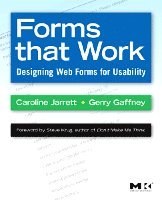
    Forms that Work

    Designing Web Forms for Usability

    AvCaroline Jarrett,Gerry Gaffney

    Häftad, Engelska, 2008

    Del i serien Interactive Technologies

    570 kr

    Beställningsvara. Skickas inom 10-15 vardagar. Fri frakt över 249 kr.

    Beskrivning

    Forms that Work: Designing Web Forms for Usability clearly explains exactly how to design great forms for the web. The book provides proven and practical advice that will help you avoid pitfalls, and produce forms that are aesthetically pleasing, efficient and cost-effective. It features invaluable design methods, tips, and tricks to help ensure accurate data and satisfied customers. It includes dozens of examples - from nitty-gritty details (label alignment, mandatory fields) to visual designs (creating good grids, use of color).

    This book isn't just about colons and choosing the right widgets. It's about the whole process of making good forms, which has a lot more to do with making sure you're asking the right questions in a way that your users can answer than it does with whether you use a drop-down list or radio buttons. In an easy-to-read format with lots of examples, the authors present their three-layer model - relationship, conversation, appearance. You need all three for a successful form - a form that looks good, flows well, asks the right questions in the right way, and, most important of all, gets people to fill it out. Liberally illustrated with full-color examples, this book guides readers on how to define requirements, how to write questions that users will understand and want to answer, and how to deal with instructions, progress indicators and errors.

    This book is essential reading for HCI professionals, web designers, software developers, user interface designers, HCI academics and students, market research professionals, and financial professionals.


    • Provides proven and practical advice that will help you avoid pitfalls, and produce forms that are aesthetically pleasing, efficient and cost-effective
    • Features invaluable design methods, tips, and tricks to help ensure accurate data and satisfied customers
    • Includes dozens of examples -- from nitty-gritty details (label alignment, mandatory fields) to visual designs (creating good grids, use of color)
    • Foreword by Steve Krug, author of the best selling Don't Make Me Think!

    Produktinformation

    • Utgivningsdatum:2008-11-07
    • Mått:191 x 235 x 13 mm
    • Vikt:550 g
    • Format:Häftad
    • Språk:Engelska
    • Serie:Interactive Technologies
    • Antal sidor:288
    • Förlag:Elsevier Science
    • Medarbetare:Steve Krug
    • ISBN:9781558607101

    Utforska kategorier

    • Människa – datorinteraktion inom Data och IT
    • Webbdesign inom Data och IT

    Recensioner i media

    “The humble form: it may seem boring, but most of your website’s value passes through forms. Follow Jarrett & Gaffney’s guidelines, and you’ll probably double your online profits.” --Jakob Nielsen, Principal, Nielsen Norman Group“This book isn’t just about colons and choosing the right widgets. It’s about the whole process of making good forms, which has a lot more to do with making sure you’re asking the right questions in a way that your users can answer than it does with whether you use a drop-down list or radio buttons.” --Steve Krug, Foreword author and author of the best selling Don’t Make me Think“If your web site includes forms, you need this book. It's that simple. In an easy-to-read format with lots of examples, Caroline and Gerry present their three-layer model -- relationship, conversation, appearance. You need all three for a successful form -- a form that looks good, flows well, asks the right questions in the right way, and, most important of all, gets people to fill it out.” --Janice (Ginny) Redish, author of Letting Go of the Words -- Writing Web Content that Works

    Innehållsförteckning

    • Introduction: What is a form?What is a form?1. Persuading people to answerPick the right moment to ask a questionThink about relationship question by questionFollow three rules that that influence response ratesThink about who will answer your questionsSummaryInterlude: Registration forms: rules and suggestions2. Gathering the right informationFind out why you need the informationCheck if your organization already holds the informationFind out what others ask forSummary: only ask for information that you needCase study: conference registration form3. Making questions easy to answerHow questions workMake it easy to understand the questionMake it easy to find the answerJudging the answer: avoiding privacy errorsPlacing the answer: avoiding category errorsSummary: writing questionsCase study: avoiding choice points4. Writing instructionsWriting instructionsRewriting instructions in plain languageCut the instructions that aren't neededMove the instructions to where they are neededA before- and after- exampleSummary: Writing instructionsInterlude: help for forms5. Choosing between drop-downs and other controlsPicking controls for your formsHow users expect controls to workUse these six questions to choose the right controlSpecialist controls may helpThink about the form as a wholeSummary: Providing the answerInterlude: names and addresses6. Making the form flow easilyMake the form flow easilyUse progress indicatorsAvoid surprising users with sudden changesBe gentle with errorsSay ‘thanks’ to close the conversationConversational flow – summaryInterlude: why we hate pop-ups7. Taking care of the detailsTaking care of the detailsWhere to put the labels compared to the fieldsColons at the end of labels?Sentence or title case for labels?How to indicate required fieldsChoosing legible text: fonts and wordsSummaryInterlude: serif or sans-serif8. Making the form look easyWhat makes a form look goodMake sure users know who you are: logos and brandingMake your form look tidy with gridsMake it look organized with groupingAvoid two-column formsSummaryCase study: an appearance makeover9. Testing (the best bit) We're passionate about usability testingHow to do really good usability testing of formsFinal message from this bookAppendicesSuggestions for further readingReferencesAcknowledgements