• Fri frakt över 249 kr
  • •
  • Snabba leveranser
  • •
  • Billiga böcker
Kundservice

Du är på sajten för privatpersoner.

Företag, bibliotek eller offentlig verksamhet?

Du handlar på classic.bokus.com, där alla dina funktioner finns intakta.
Till classic.bokus.com
Bokus logotyp. Gå till startsidan.
  • Erbjudanden
  • Nyheter
  • Student
  • Topplistor
  • Barn & ungdom
  • Bokus Play
  • E-böcker
  • Pocketböcker
  • Spel & pussel

10% rabatt på allt med kod NYSTART10 →

Sidfot

Mina sidor

    Hjälp

    • Kundservice
    • Vanliga frågor och svar
    • Frakt och leverans
    • Retur vid ångerrätt
    • Reklamera vara
    • Betalning
    • Köpvillkor
    • Allmänna villkor
    • Information om webbplatsens tillgänglighet

    Om Bokus

    • Om oss
    • Pressrum
    • För studenter
    • För företag
    • För bibliotek och offentlig verksamhet
    • För leverantörer
    • Hållbarhet

    Populärt

    • Aktuella erbjudanden
    • Presentkort
    • Studentlitteratur
    • Nya böcker
    • Topplistor
    • Signerade böcker
    • Engelska böcker

    Inspiration

    • Boktips
    • BookTok
    • Populära bokserier
    • Barnbokskaraktärer
    • Populära författare
    Logotyp för Bokus
    Följ oss på Facebook (extern länk)Följ oss på Instagram (extern länk)Följ oss på YouTube (extern länk)Följ oss på TikTok (extern länk)
    bokus @ CookiesAnpassa cookiesIntegritetspolicyKöpvillkor
    Till Citymail hemsida (extern länk)Till Budbee hemsida (extern länk)Till Postnord hemsida (extern länk)Till Schenker hemsida (extern länk)Till Early Bird hemsida (extern länk)Till Walleys hemsida (extern länk)
    1. Data och IT
    2. Digital livsstil och datorspel

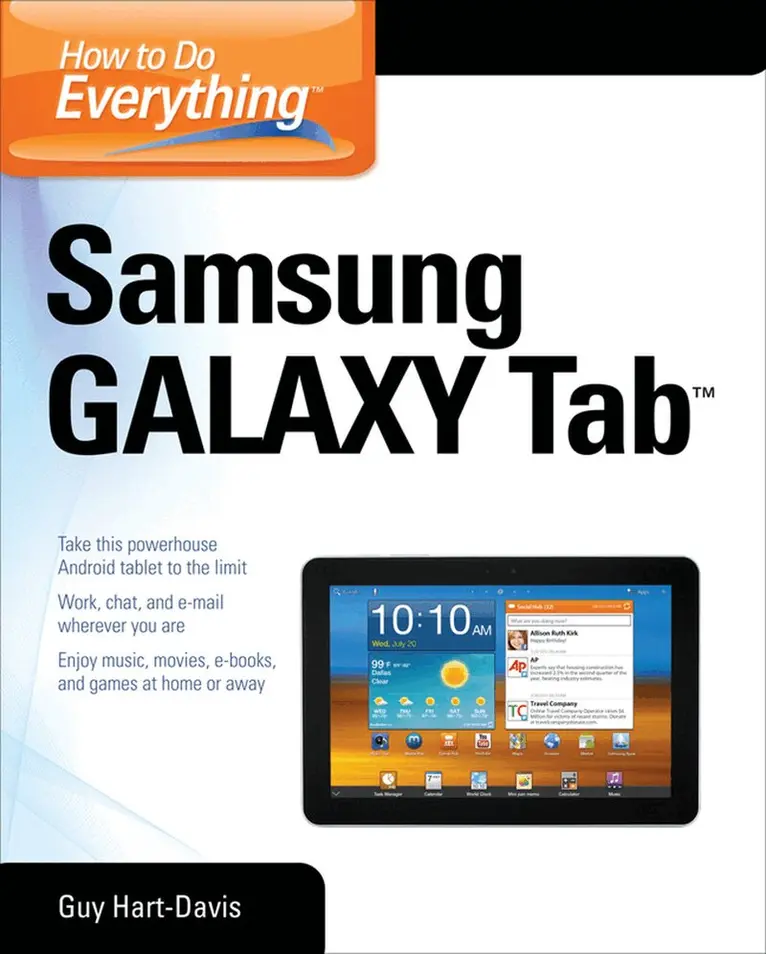
    How to Do Everything Samsung Galaxy Tab

    AvGuy Hart-Davis

    Häftad, Engelska, 2012

    451 kr

    Beställningsvara. Skickas inom 3-6 vardagar. Fri frakt över 249 kr.

    Fler format och utgåvor

    E-bok

    463 kr

    Beskrivning

    Publisher's Note: Products purchased from Third Party sellers are not guaranteed by the publisher for quality, authenticity, or access to any online entitlements included with the product.

    Get the most out of your Samsung GALAXY Tab

    At last--a tablet that puts the power of a full computer right in your hands! This hands-on guide shows you show to tap into your Galaxy Tab's full range of business productivity and entertainment features. How to Do Everything: Samsung GALAXY Tab teaches you how to connect to wireless networks, sync data with your PC or Mac, browse the Web, use e-mail, and much more. Harness the power of the Android operating system, maximize the built-in and third-party applications, and maintain and troubleshoot your Galaxy Tab with help from this practical, time-saving resource.

    • set up, navigate, and customize your Galaxy Tab
    • Connect seamlessly to as many wireless networks as you need
    • Synchronize your Galaxy Tab with your PC or Mac using Samsung Kies
    • Play movies on your Galaxy Tab or your TV
    • Take photos and videos and share them online and offline
    • Check e-mail, communicate with instant messaging, and browse the Web from anywhere
    • Keep up with your social networks on the go
    • Read e-books and PDFs in the palm of your hand
    • Navigate easily with Google Maps
    • Install and use versatile applications from the Android Market
    • Troubleshoot, maintain, and secure your Galaxy Tab
    • Connect to your work network via virtual private networking

    Produktinformation

    • Utgivningsdatum:2012-05-16
    • Mått:185 x 231 x 20 mm
    • Vikt:656 g
    • Format:Häftad
    • Språk:Engelska
    • Antal sidor:408
    • Förlag:McGraw-Hill Education
    • ISBN:9780071771092

    Utforska kategorier

    • Digital livsstil och datorspel inom Data och IT

    Mer om författaren

    Guy Hart-Davis (Barnard Castle, UK) is the author of more than 60 computer books, including all editions of How to Do Everything: iPod, iPhone, & iTunes, iPad and iPhone Administrator’s Guide, Integrating Macs in Windows Networks, and Mac OS X System Administration.

    Innehållsförteckning

    • 1. Get Up and Running with the Galaxy Tab2. Customize the Galaxy Tab to Suit You3. Load and Manage the Galaxy Tab with Samsung Kies4. Play Music on the Galaxy Tab5. Watch Movies and Videos on the Galaxy Tab6. Use the Camera and Make the Most of Photos and Videos7. Browse the Web8. Set Up and Use E-mail9. Keep Up with Your Social Networks10. Stay in Touch with Instant Messaging11. Read e-Books, Newspapers, and Magazines on Your Galaxy Tab12. Make the Most of Apps13. Learn Three Tricks to Take the Galaxy Tab to the Max14. Troubleshoot and Update the Galaxy TabIndex