• Fri frakt över 249 kr
  • •
  • Snabba leveranser
  • •
  • Billiga böcker
Kundservice

Du är på sajten för privatpersoner.

Företag, bibliotek eller offentlig verksamhet?

Du handlar på classic.bokus.com, där alla dina funktioner finns intakta.
Till classic.bokus.com
Bokus logotyp. Gå till startsidan.
  • Erbjudanden
  • Nyheter
  • Student
  • Topplistor
  • Barn & ungdom
  • Bokus Play
  • E-böcker
  • Pocketböcker
  • Spel & pussel

10% studentrabatt med kod TERM26

Sidfot

Mina sidor

    Hjälp

    • Kundservice
    • Vanliga frågor och svar
    • Frakt och leverans
    • Retur vid ångerrätt
    • Reklamera vara
    • Betalning
    • Köpvillkor
    • Allmänna villkor
    • Information om webbplatsens tillgänglighet

    Om Bokus

    • Om oss
    • Pressrum
    • För studenter
    • För företag
    • För bibliotek och offentlig verksamhet
    • För leverantörer
    • Hållbarhet

    Populärt

    • Aktuella erbjudanden
    • Presentkort
    • Studentlitteratur
    • Nya böcker
    • Topplistor
    • Signerade böcker
    • Engelska böcker

    Inspiration

    • Boktips
    • BookTok
    • Populära bokserier
    • Barnbokskaraktärer
    • Populära författare
    Logotyp för Bokus
    Följ oss på Facebook (extern länk)Följ oss på Instagram (extern länk)Följ oss på YouTube (extern länk)Följ oss på TikTok (extern länk)
    bokus @ CookiesAnpassa cookiesIntegritetspolicyKöpvillkor
    Till Citymail hemsida (extern länk)Till Budbee hemsida (extern länk)Till Postnord hemsida (extern länk)Till Schenker hemsida (extern länk)Till Early Bird hemsida (extern länk)Till Walleys hemsida (extern länk)
    1. Data och IT
    2. Människa – datorinteraktion

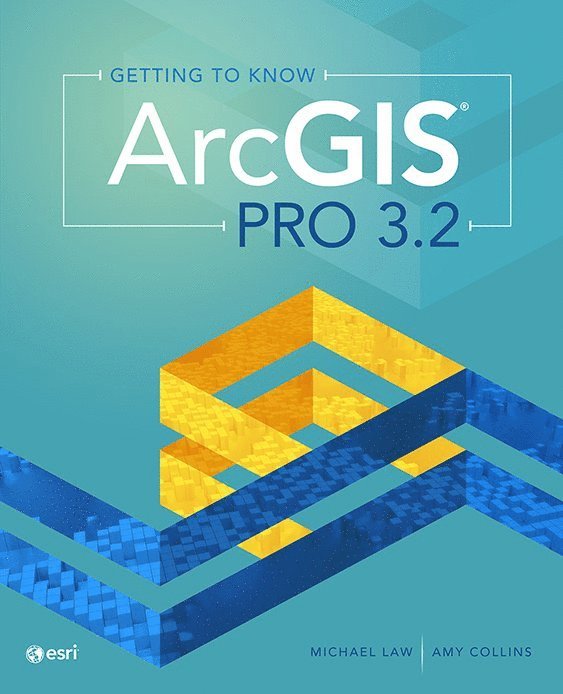
    Getting to Know ArcGIS Pro 3.2

    AvMichael Law,Amy Collins

    Häftad, Engelska, 2024

    1 132 kr

    Skickas . Fri frakt över 249 kr.

    Beskrivning

    Learn to use ArcGIS Pro confidently, quickly, andeffectively with the newest edition in this best-selling series.Getting to Know ArcGIS Pro 3.2 introduces readers to ArcGISPro, the world’s most powerful desktop GIS. Geographic information system (GIS)software provides mapping and analytic capabilities that give people andorganizations powerful location intelligence.Getting to Know ArcGIS Pro 3.2 walks readers throughexploring ArcGIS Online, using 3D GIS, building a geodatabase, creating mapsfor web and physical presentations, and more. With more than 300 full-colorimages, Getting to Know ArcGIS Pro 3.2 clarifies complicated processes,such as developing a geoprocessing model, using Python to write a script tool,and creating space-time cubes for analysis in easy-to-follow workflows.Throughout the book, short sidebars about real-world GISscenarios in specific industries help readers understand how ArcGIS Pro can beused widely to solve problems. At the end of each chapter, a summary andglossary help reinforce the skills learned.This edition has been completely updated for use withArcGIS Pro 3.2.The Getting to Know series has been teaching readersabout GIS for more than 20 years. Ideal for students, self-learners, andprofessionals who want to learn the premier GIS desktop application, Gettingto Know ArcGIS Pro 3.2 is a textbook and desk reference designed to showusers how to use ArcGIS Pro successfully.

    Produktinformation

    • Utgivningsdatum:2024-07-11
    • Mått:190 x 234 x 23 mm
    • Vikt:810 g
    • Format:Häftad
    • Språk:Engelska
    • Antal sidor:430
    • Upplaga:5
    • Förlag:ESRI Press
    • ISBN:9781589487772

    Utforska kategorier

    • Människa – datorinteraktion inom Data och IT
    • Informationsteknik: allmänt inom Data och IT
    • Material och digital teknik i undervisningen inom Psykologi och pedagogik

    Mer om författaren

    Michael Law is a cartographer and GIS professional with over 16 years of experience. He lives in Toronto, Canada. He and Amy Collins previously updated Getting to Know ArcGIS Desktop 10.8.Amy Collins is a writer and editor who lives in Northern California. She and Michael Law previously updated Getting to Know ArcGIS Desktop 10.8.

    Innehållsförteckning

    • ContentsPrefaceChapter 1             Introducing GISExercise 1a: Explore ArcGIS OnlineChapter 2             A first look at ArcGIS ProExercise 2a: Learn some basicsExercise 2b: Go beyond the basicsExercise 2c: Experience 3D GISChapter 3            Exploring geospatial relationshipsExercise 3a: Extract part of a datasetExercise 3b: Incorporate tabular dataExercise 3c: Calculate data statisticsExercise 3d: Connect spatial datasetsChapter 4             Creating and editing spatial dataExercise 4a: Build a geodatabaseExercise 4b: Create featuresExercise 4c: Modify featuresChapter 5             Facilitating workflowsExercise 5a: Manage a repeatable workflow using tasksExercise 5b: Create a geoprocessing modelExercise 5c: Run a Python command and script toolChapter 6             Geoenabling your projectExercise 6a: Prepare project dataExercise 6b: Geocode location dataExercise 6c: Use geoprocessing tools to analyze vector dataChapter 7             Analyzing spatial and temporal patternsExercise 7a: Create a kernel density mapExercise 7b: Perform a hot spot analysisExercise 7c: Explore the results in 3DExercise 7d: Animate the dataChapter 8             Determining suitabilityExercise 8a: Prepare project dataExercise 8b: Derive new surfacesExercise 8c: Create a weighted suitability modelChapter 9           Presenting your projectExercise 9a: Apply detailed symbologyExercise 9b: Label featuresExercise 9c: Create a page layoutExercise 9d: Share your projectAppendix          Image and data source creditsData license agreementGlossary